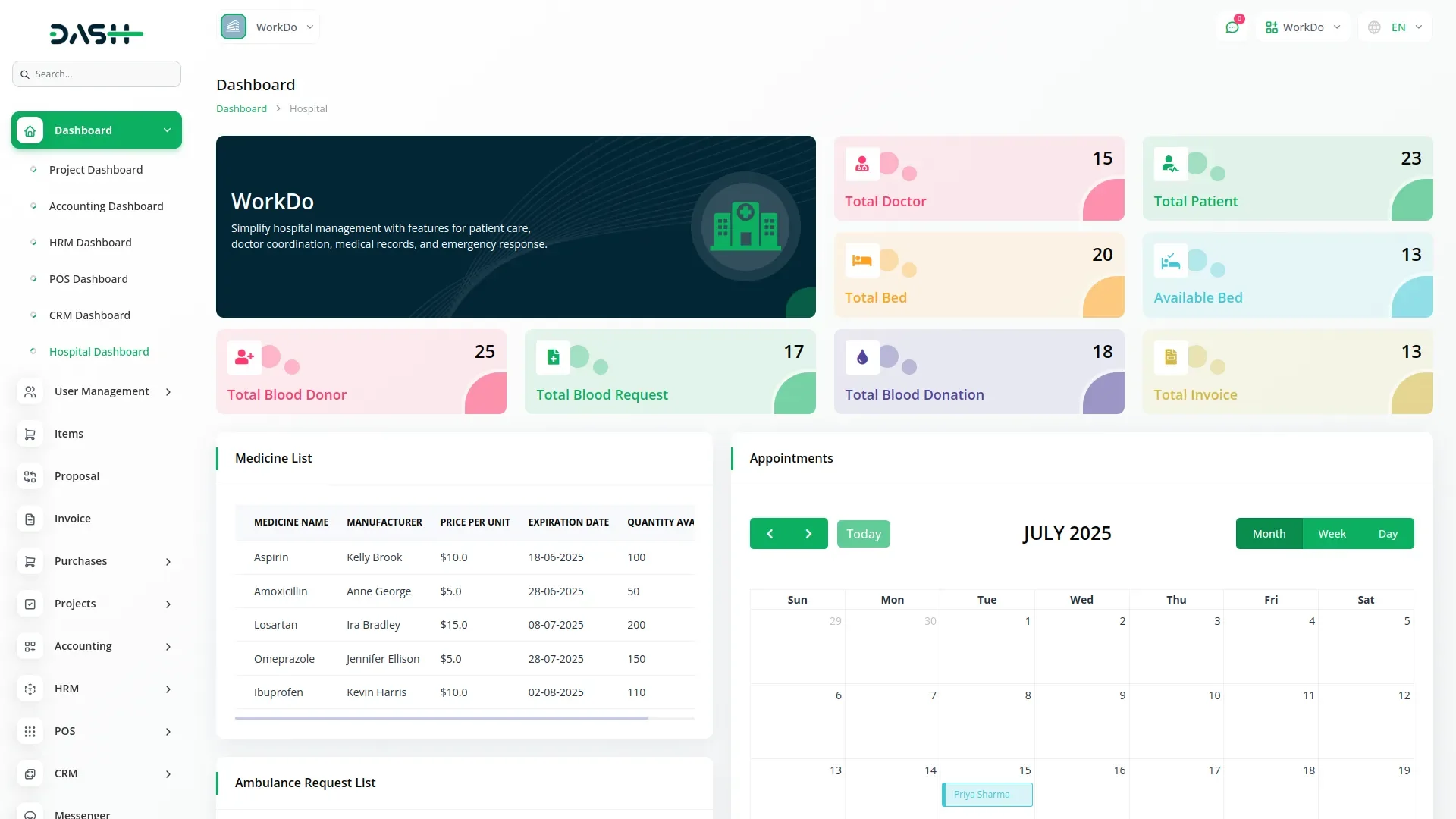
Blood Bank – Dash SaaS Add-On is a powerful module designed to seamlessly integrate blood bank management into the Dash SaaS ecosystem. It provides hospitals, clinics, donation centers, and healthcare organizations with a complete, automated solution for managing blood inventory, donors, requests, and transfusion workflows—all from an intuitive and centralized dashboard.
This add-on streamlines the entire blood bank process by offering real-time tracking of blood units, detailed donor profiles, smart inventory alerts, and robust reporting capabilities. With built-in role management, secure data handling, and an easy-to-use interface, it ensures that healthcare teams can operate efficiently, make informed decisions, and deliver critical services without delays.
Ideal for SaaS owners who want to expand their platform’s medical and healthcare capabilities, the Blood Bank add-on is fully modular, scalable, and designed to integrate smoothly with existing Dash SaaS functionalities.
Note: This is an addon for WorkDo Dash SaaS, not a standalone script.
WorkDo Dash SaaS - Open Source ERP with Multi-Workspace
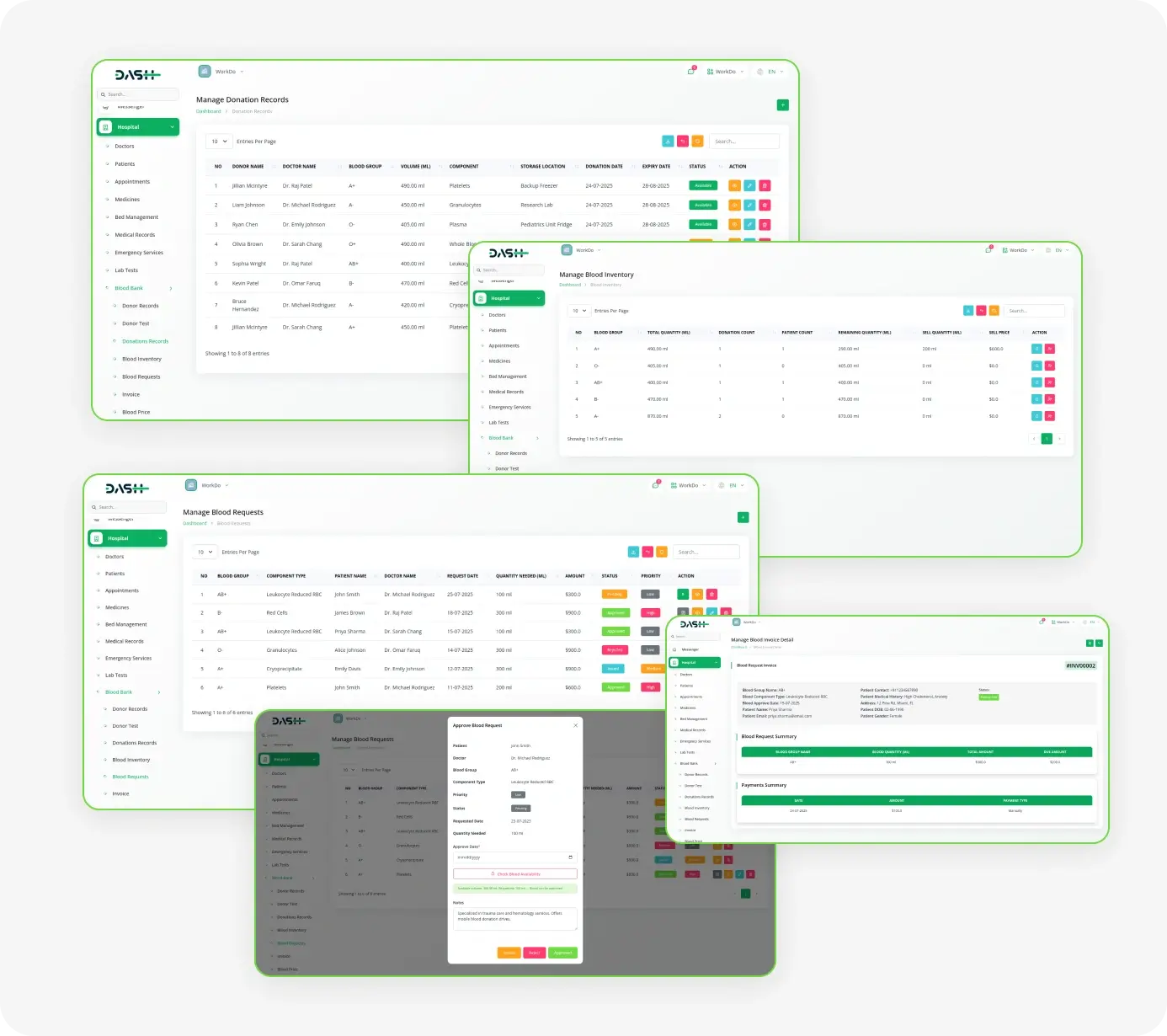
The Blood Bank Management Add-On empowers hospitals with seamless donor tracking, advanced blood testing, and real-time inventory control. Automated expiry tracking and secure donor validation ensure the highest standards of safety and efficiency. Streamlined blood requests with quick approvals, flexible invoicing, and transparent pricing enhance patient care. With powerful system setup tools, managing blood groups, components, and storage has never been easier.
Dependency Notice: The Blood Bank Management Add-On is dependent on the Hospital Management Add-On. If the Hospital Management Add-On is disabled, the Blood Bank Management Add-On will not function. Ensure that the Hospital Management Add-On is activated to utilize the Blood Bank Management features.
Check here : Blood Bank Integration Add-On | Smarter Blood Management for Hospitals & Clinics
Easy Blood Bank Management
Donor Records Management
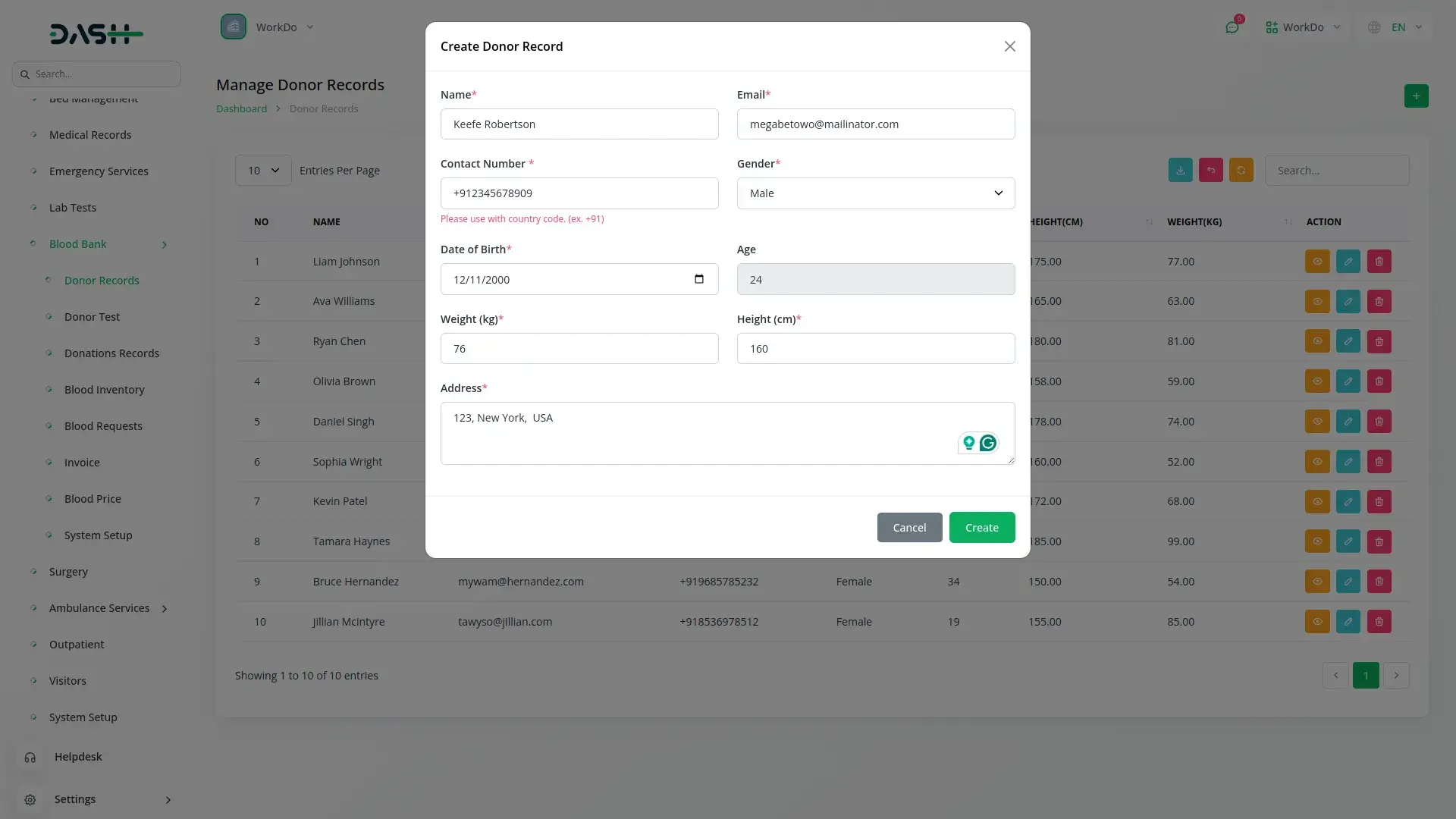
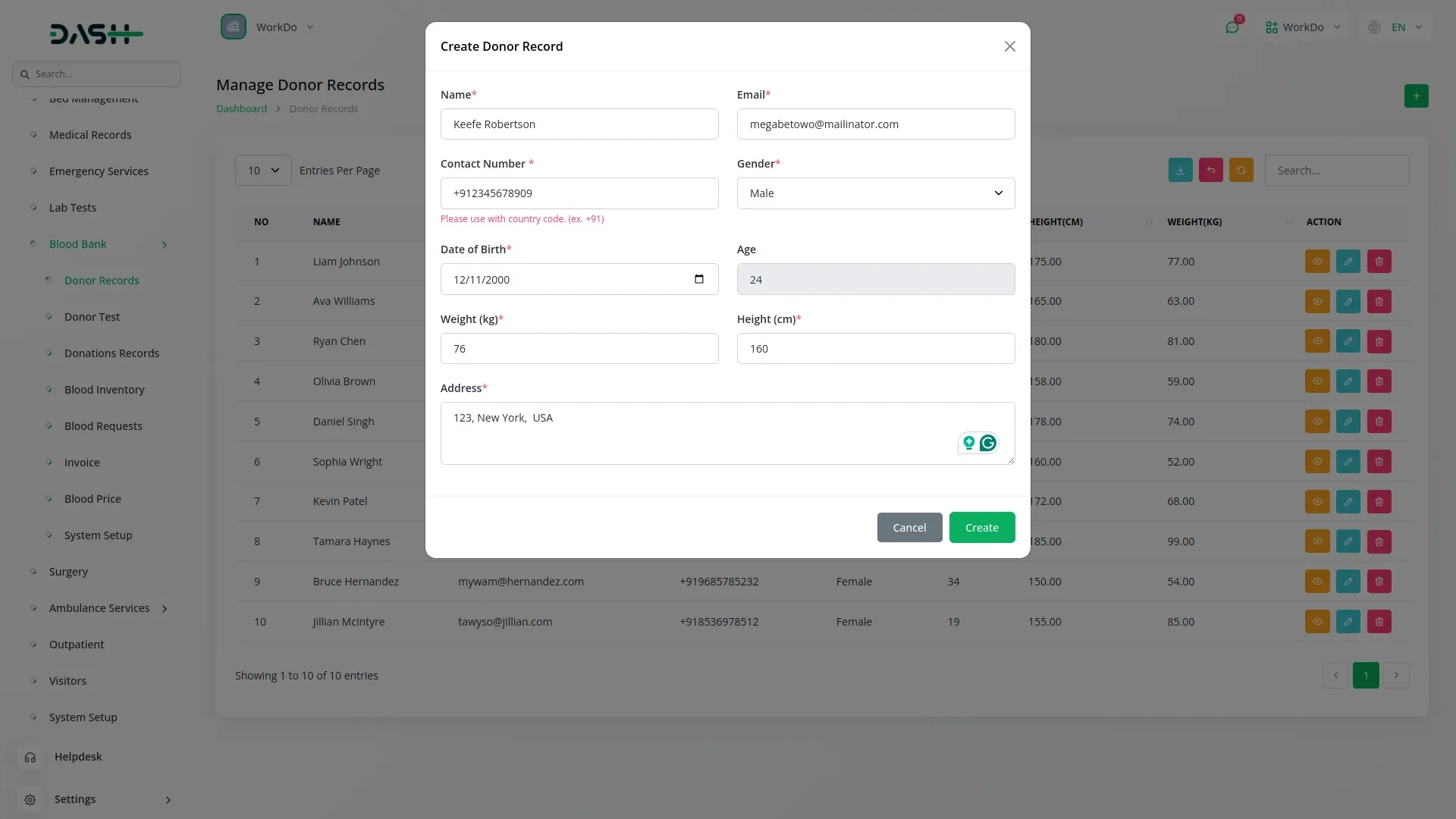
This section collects and manages essential donor information, including name, contact details, gender, birth date, height, weight, and address. Age is auto-calculated based on date of birth, while eligibility rules are applied dynamically from system setup. Donors can be added, viewed, edited, or removed with powerful search and export features.
Donor Test Validation
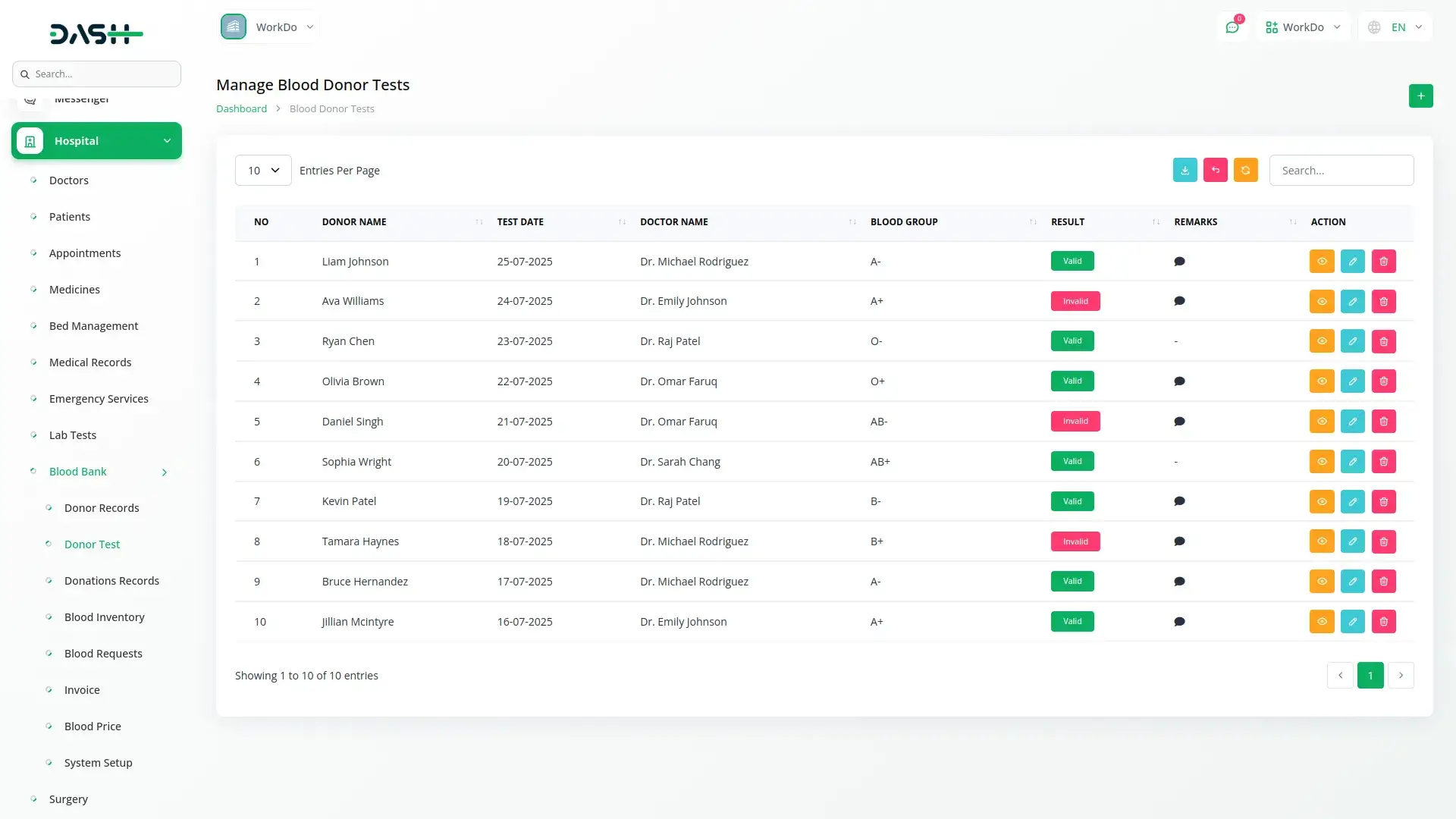
This section ensures that only medically eligible donors are approved for blood donation. It allows you to record donor tests by selecting a donor, assigning a doctor, selecting the blood group from system setup, test date, remarks, and marking the test result as Valid or Invalid. Only those with Valid results can proceed to the donation stage. Each record is fully manageable with the ability to view, search, export, edit, or delete entries.
Donation Record Keeping
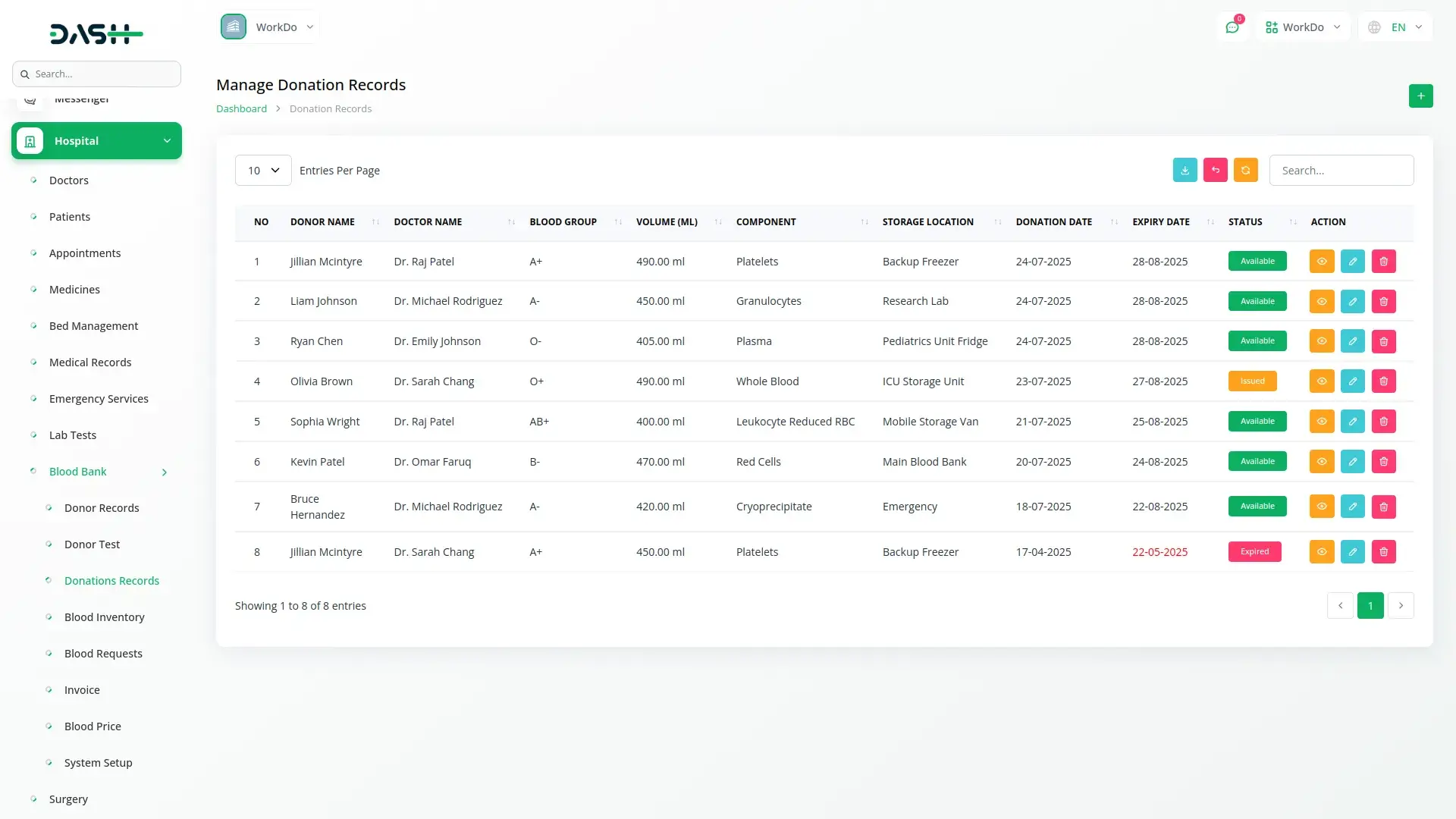
Track blood donations from eligible, pre-tested donors with auto-filled details for accuracy. Record component type, blood group, storage location, volume, and date, with expiry auto-calculated after 35 days. Donations are marked as Available, Expired, or Issued and can be edited or removed. All values like blood group, component type, and storage location are managed through system setup, and donors become eligible again after three months.
Blood Inventory Monitoring
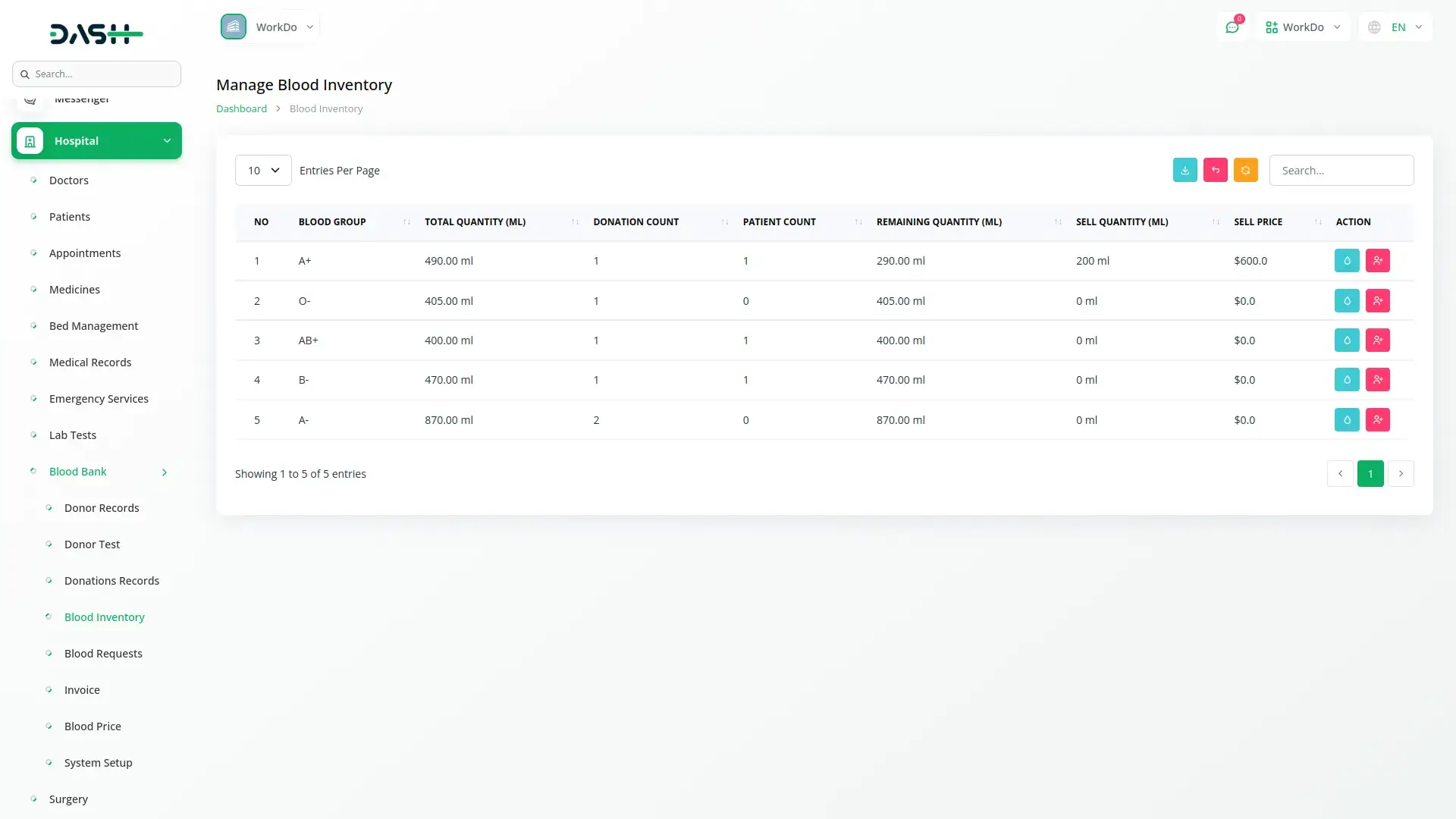
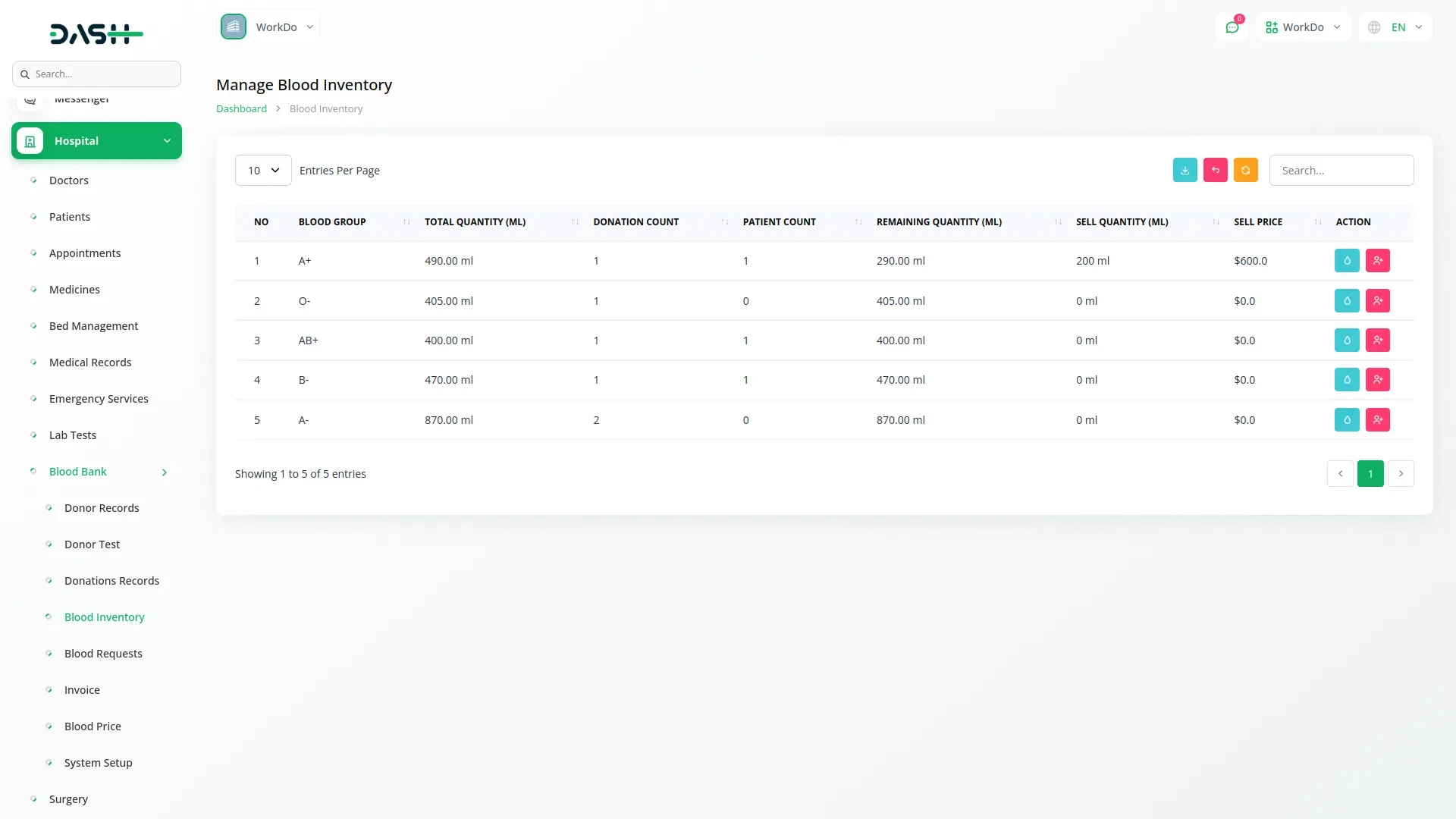
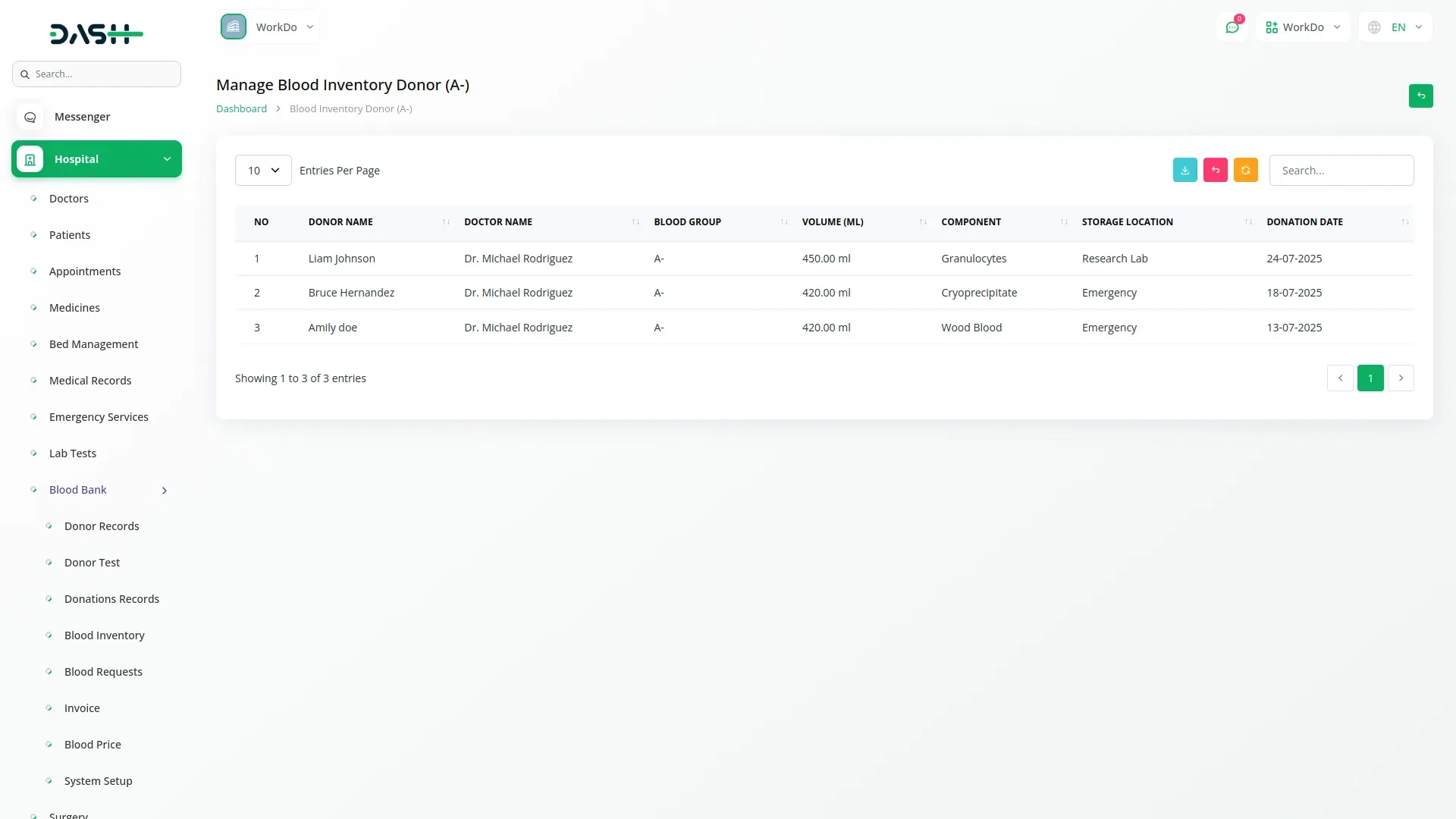
Monitor blood stock levels by group and component type with detailed statistics on volume, usage, and availability. View total quantity, donation count, sold quantity, and remaining stock in milliliters. Easily access donor or patient records for each group. Search, filter, and export inventory to maintain full control over stock movement and availability.
Blood Request Management
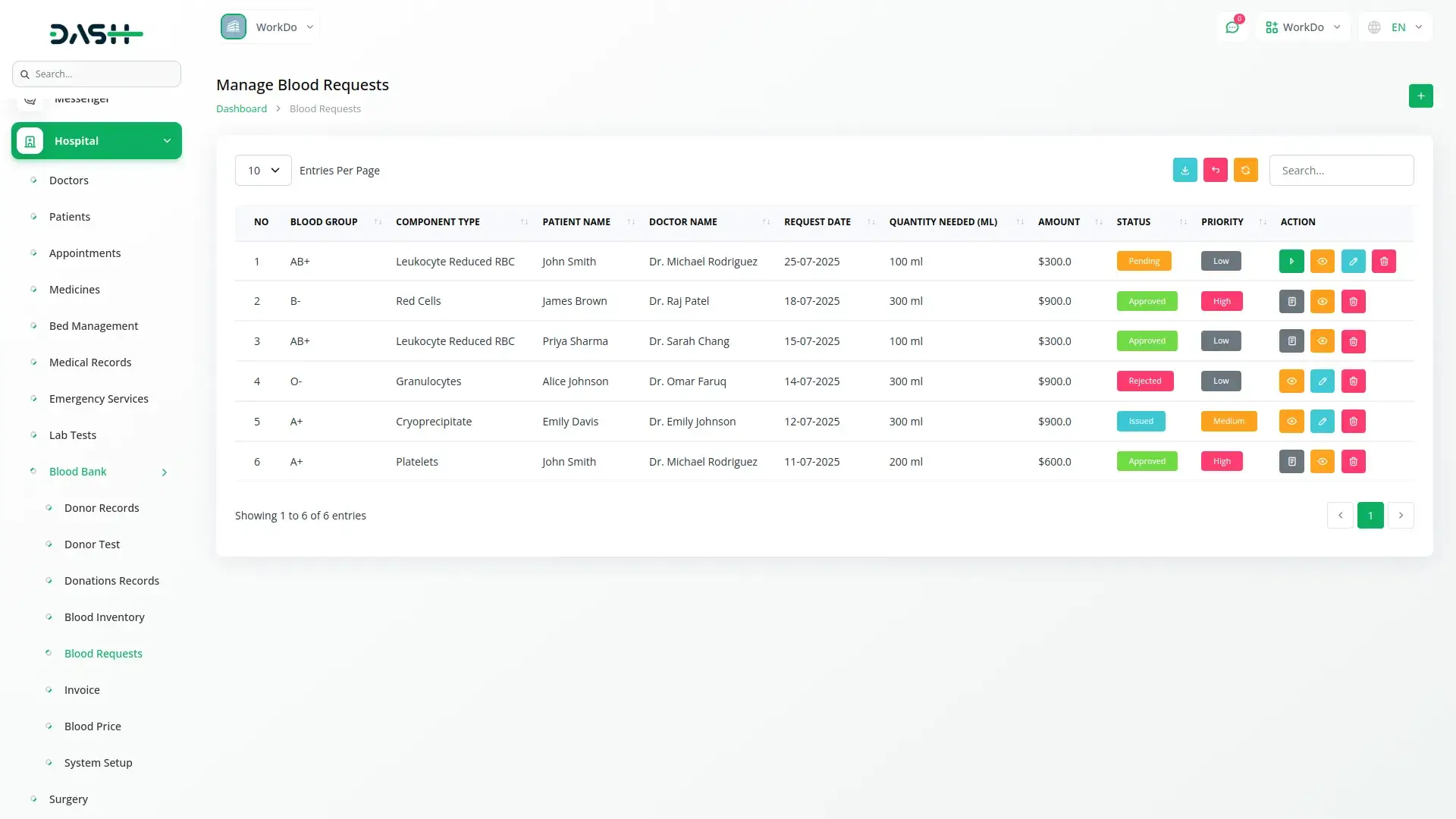
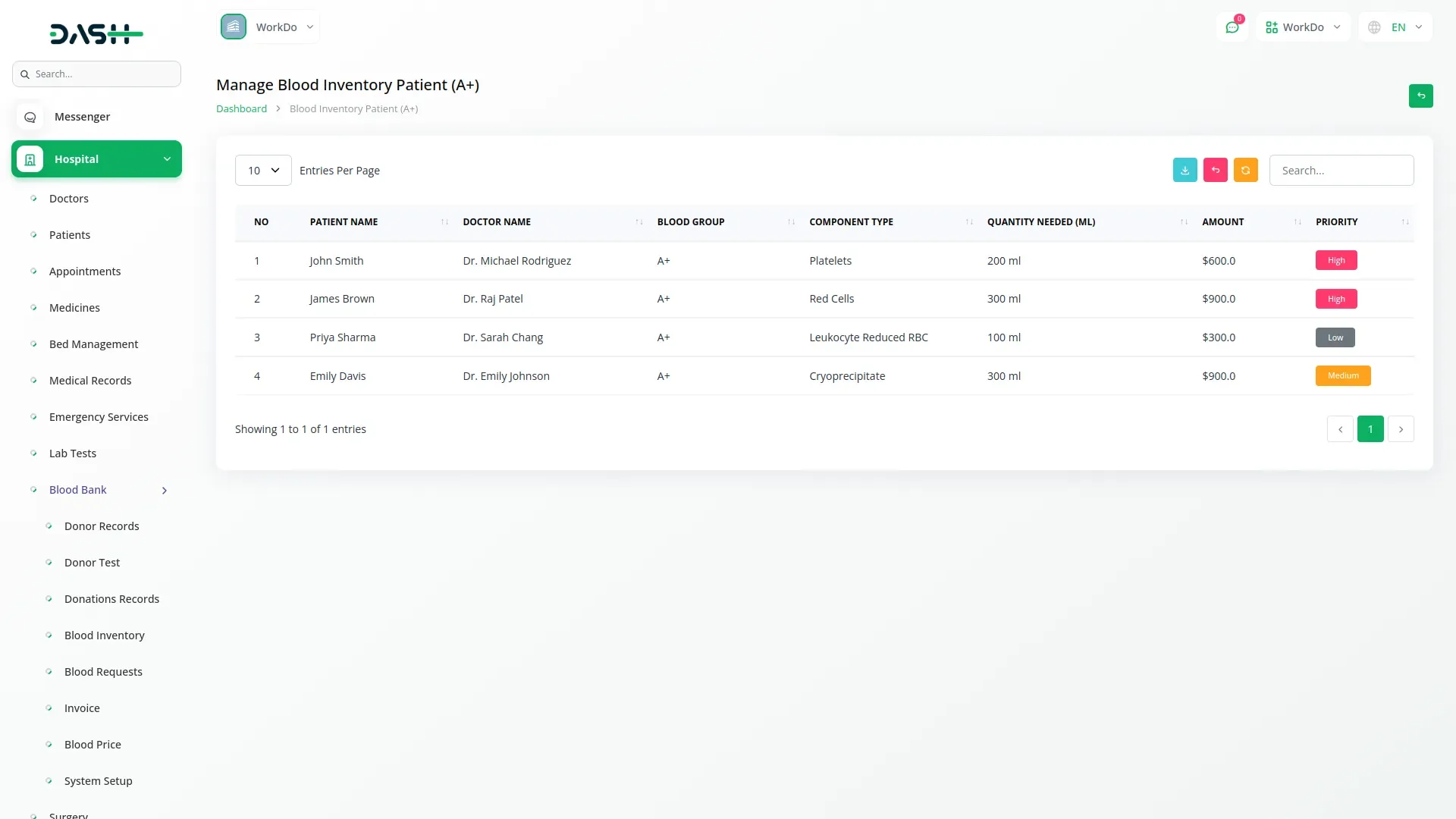
Submit and manage blood requests by capturing patient, doctor, hospital, blood group, and component type details. The system auto-calculates the total amount based on selected blood group and component type to get pricing section amount and multiply quantity. Prioritize requests as Low, Medium, or High, and manage statuses such as Pending, Approved, Rejected, or Issued. Approved requests can be converted into invoices.
Invoice and Payment Processing
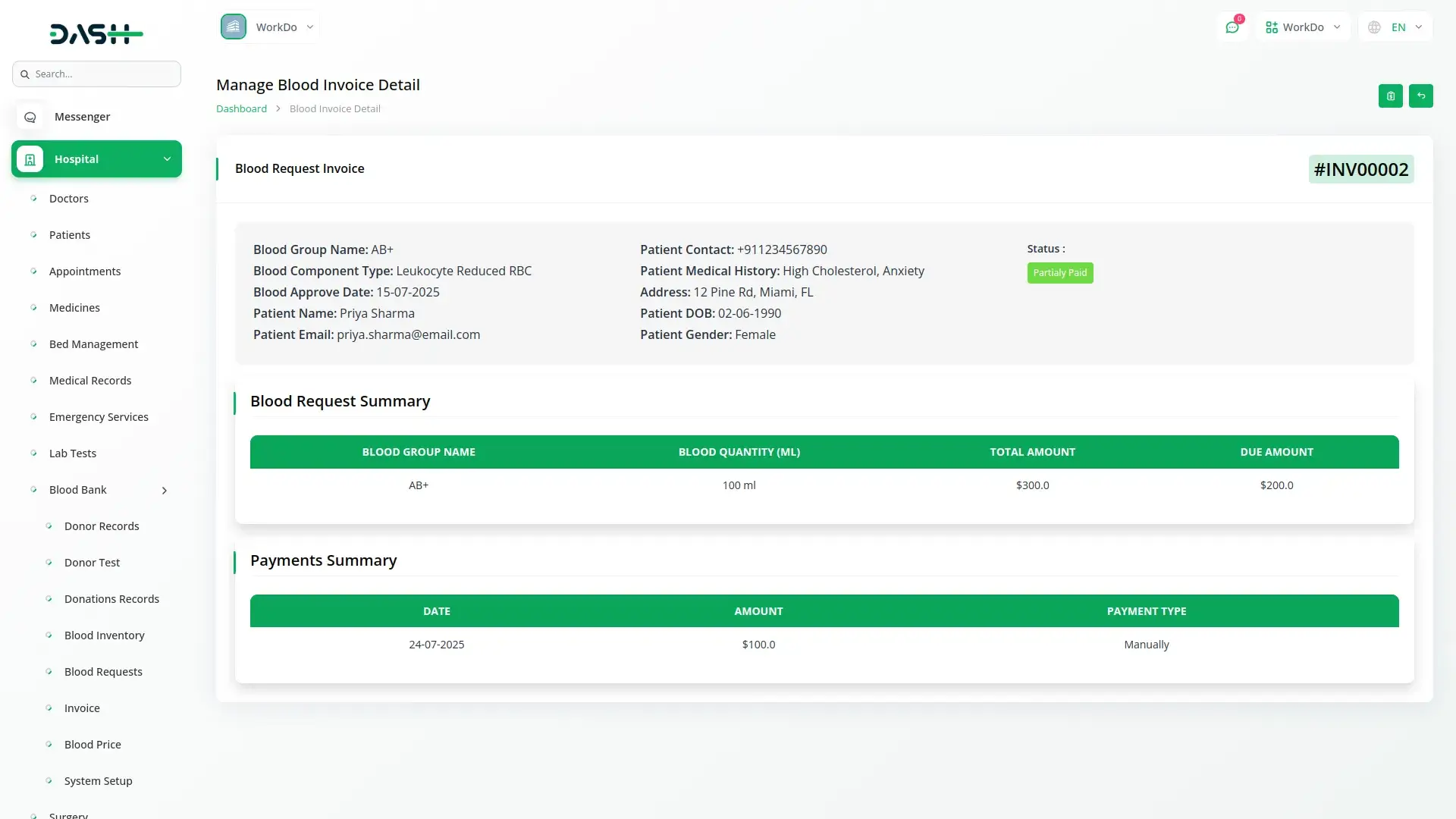
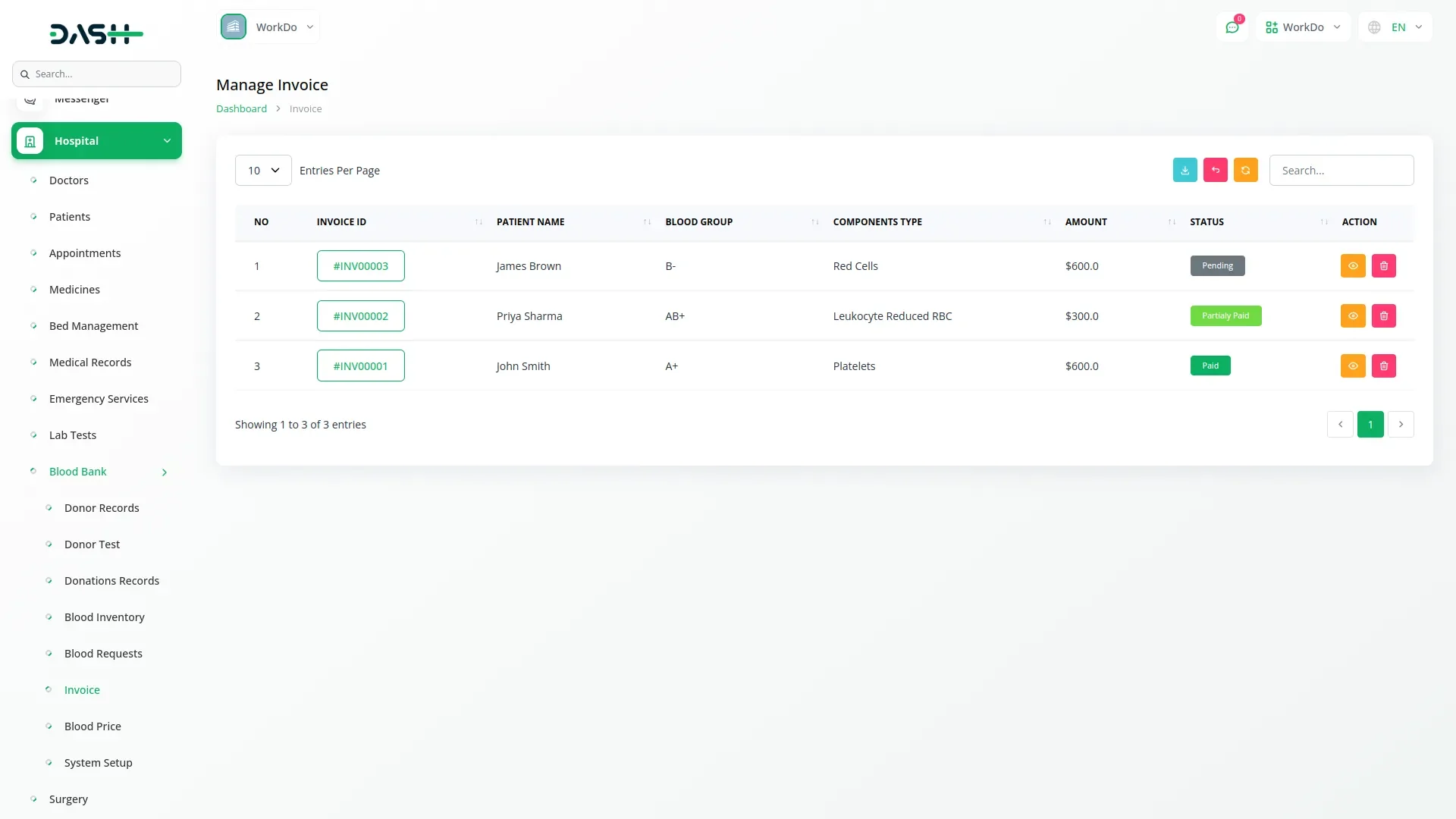
Manage financial transactions linked to approved blood requests. Create invoices automatically with patient name, blood group, component, quantity, and amount. Track payment status as Pending, Partially Paid, or Paid. Use the Pay Now option to record transactions and view payment history. The invoice summary clearly separates blood request details from payment logs.
Check here : Documentation
Last update:
Jan 22, 2026 06:05 AM
Version:
v1.0
Category:
High Resolution:
YesSoftware Version:
Files Included:
Software FrameWork:
LaravelTags:
Published:
Nov 18, 2025 03:41 PM