The Google Forms – Dash SaaS Add-On seamlessly integrates Google Forms into the Dash SaaS ecosystem, allowing users to create, embed, manage, and track form submissions directly from their dashboard. This powerful add-on centralizes surveys, feedback forms, lead capture forms, quizzes, registration forms, and internal data collection—eliminating the need to switch between multiple platforms.
With streamlined form embedding, permission controls, link management, and real-time access to submissions, this module enhances productivity and improves workflow efficiency for teams in marketing, HR, education, customer service, and operations.
Note: This is an addon for WorkDo Dash SaaS, not a standalone script.
WorkDo Dash SaaS - Open Source ERP with Multi-Workspace
A powerful form management solution that integrates with Google services to create, customize, and manage forms efficiently. Build unlimited forms with multiple question types, utilize reusable templates, and track responses through a comprehensive dashboard. The system provides secure Google account integration with automated synchronization for seamless form lifecycle management.
Check here : Google Form Integration Add-On | Automate Data Collection Like a Pro
Automated Google Form Integration for Streamlined Data Collection
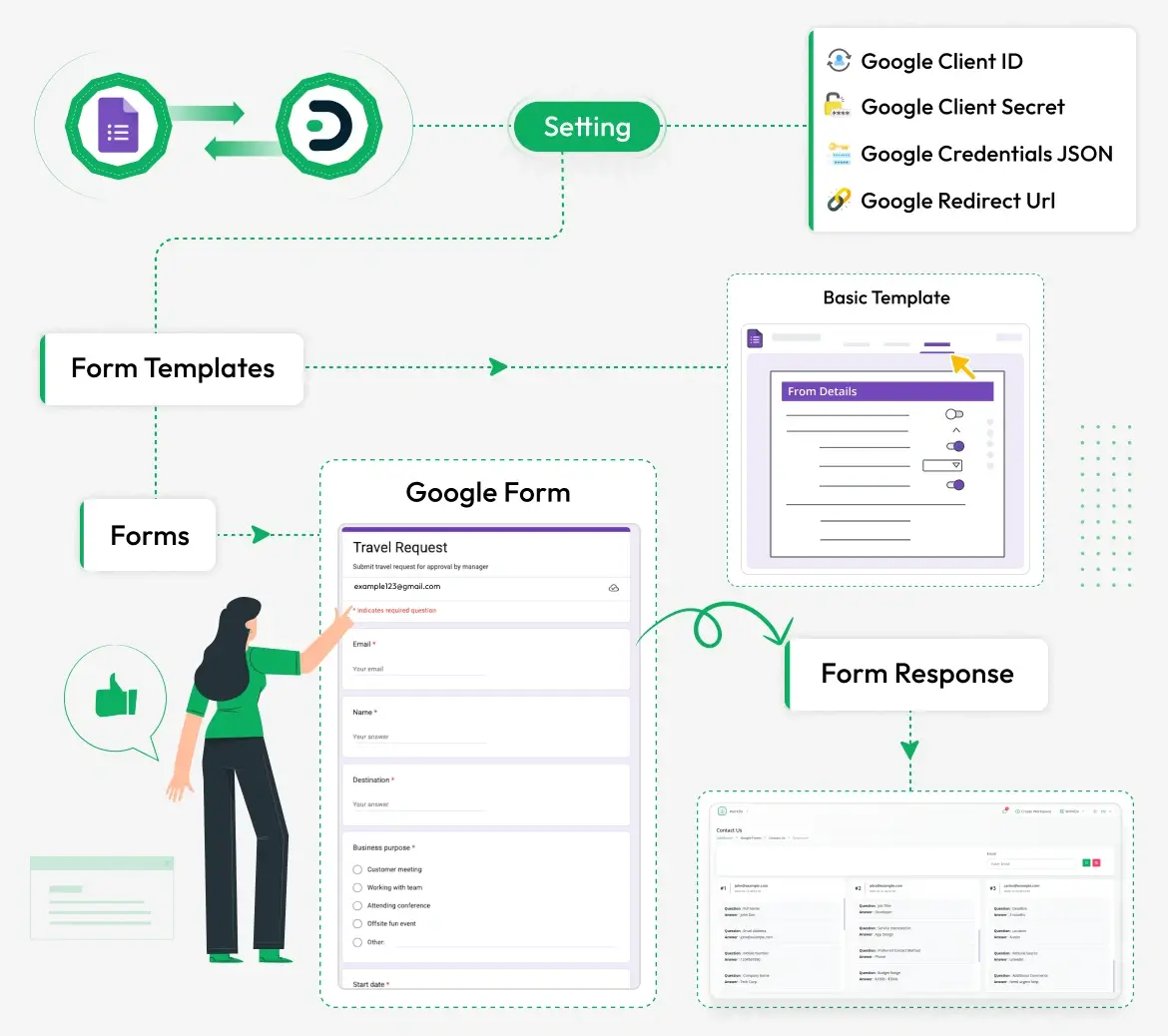
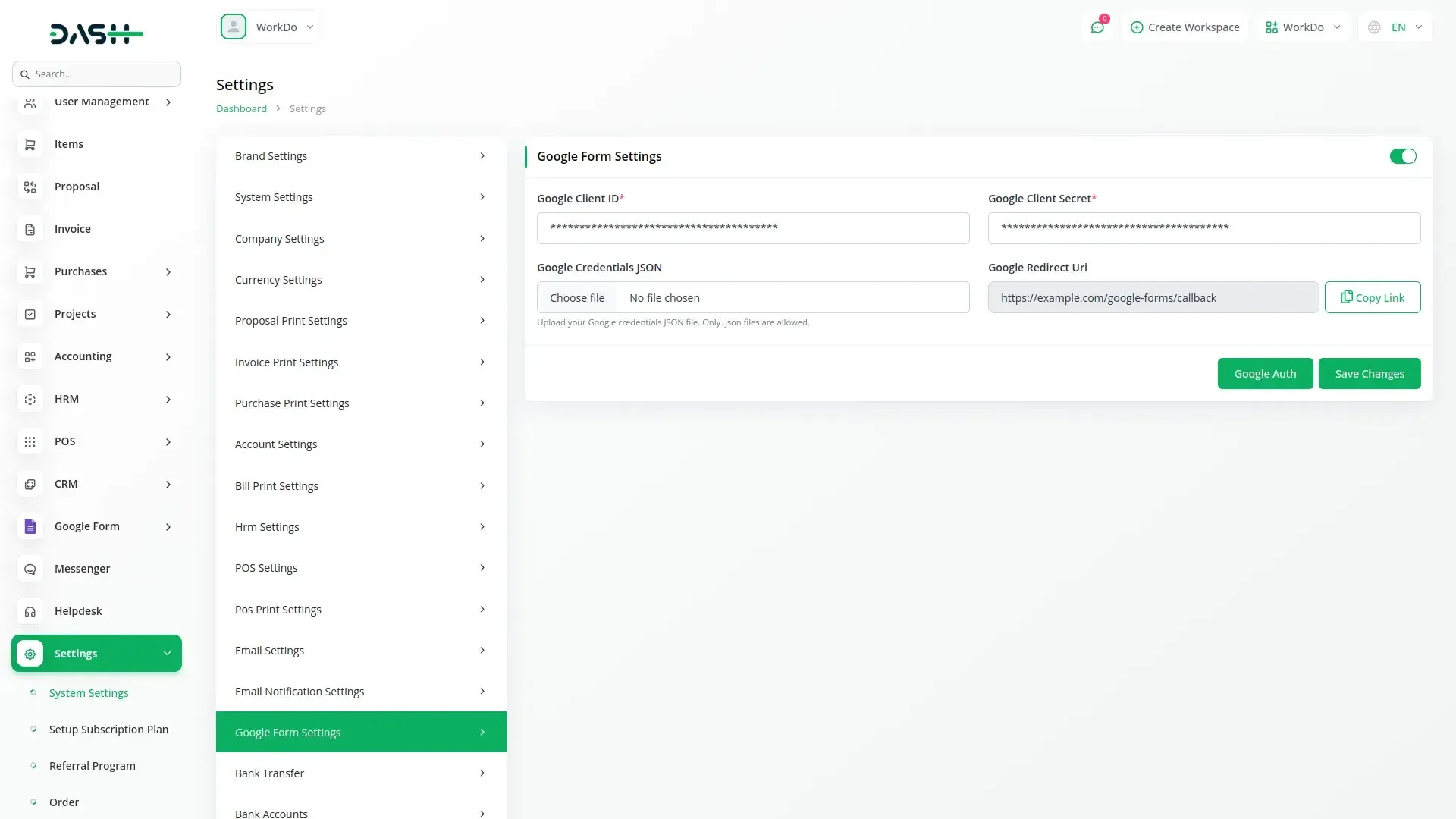
Connect your system effortlessly with Google Forms using secure credential settings, including Google Client ID, Client Secret, JSON file, and Redirect URL. Create reusable form templates to maintain consistency and speed up the form-building process. Generate custom forms like travel requests directly from templates without manual effort. All form responses are automatically captured and displayed in an organized format for easy access. This integration improves efficiency by simplifying data collection and centralizing form management.
Google Account Integration
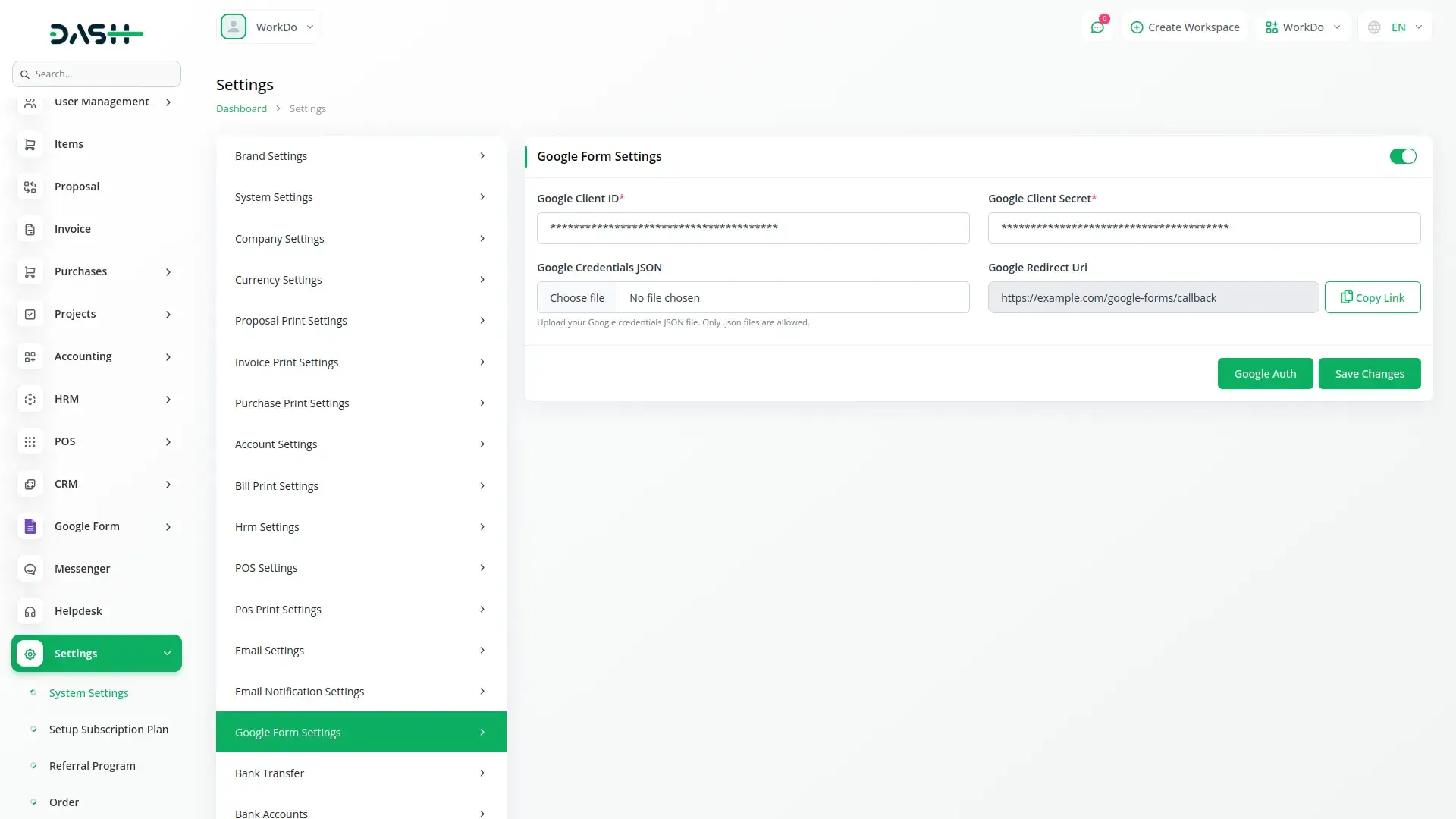
Seamlessly connect your application with Google services through secure authentication protocols. The system provides automated authorization workflows with proper credential management and real-time status monitoring. Users can configure client credentials and webhook URLs for continuous service integration. The platform supports JSON file uploads for instant credential setup and maintains secure token storage for uninterrupted access.
Centralized Form Management
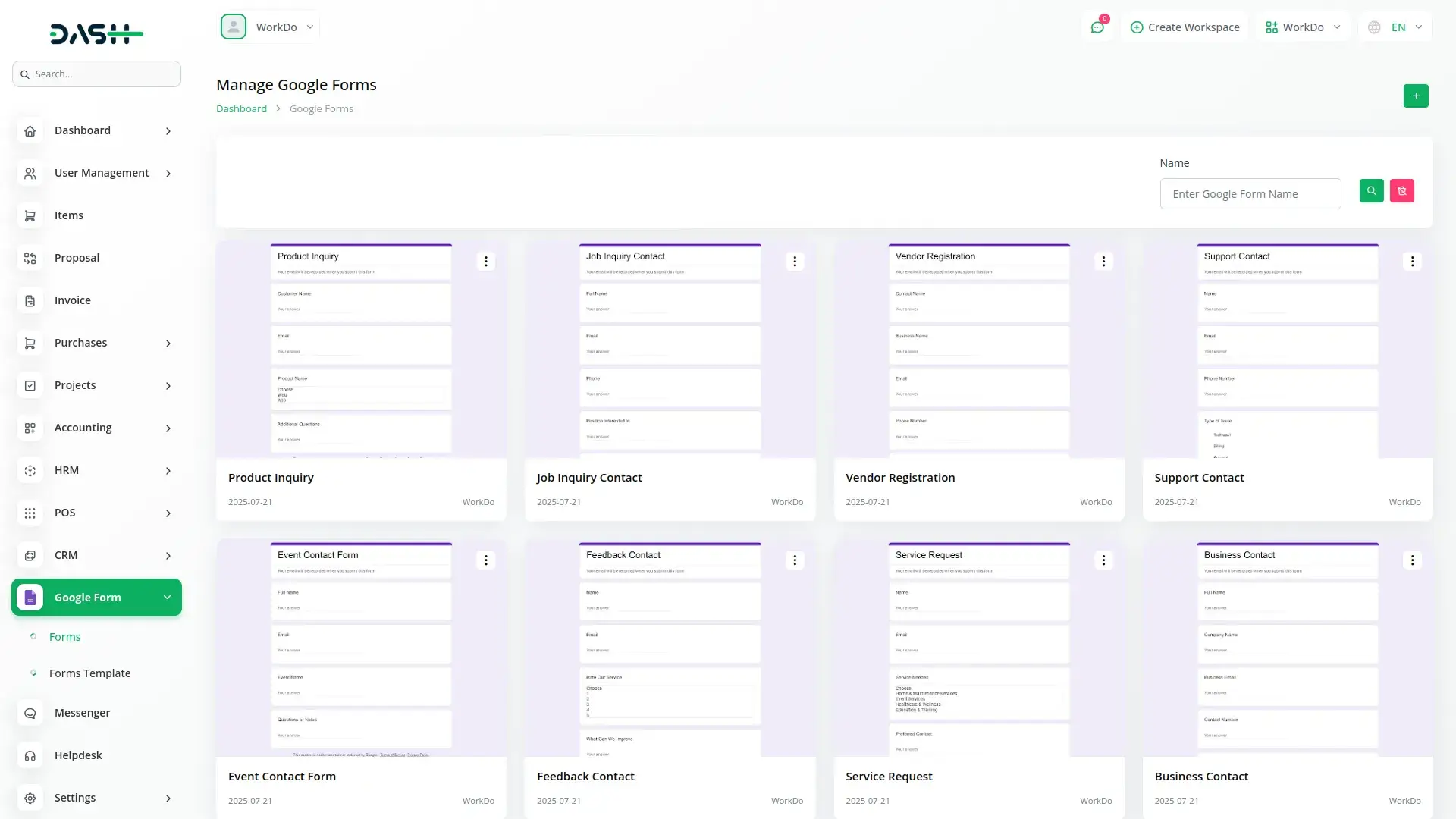
Manage all forms through a centralized interface with powerful features including form copying, direct editing, and response management. The system provides form-sharing capabilities with direct Google integration and comprehensive search functionality. Users can organize forms by creation date and status while maintaining full control over form lifecycle including permanent deletion options.
Advanced Form Creation
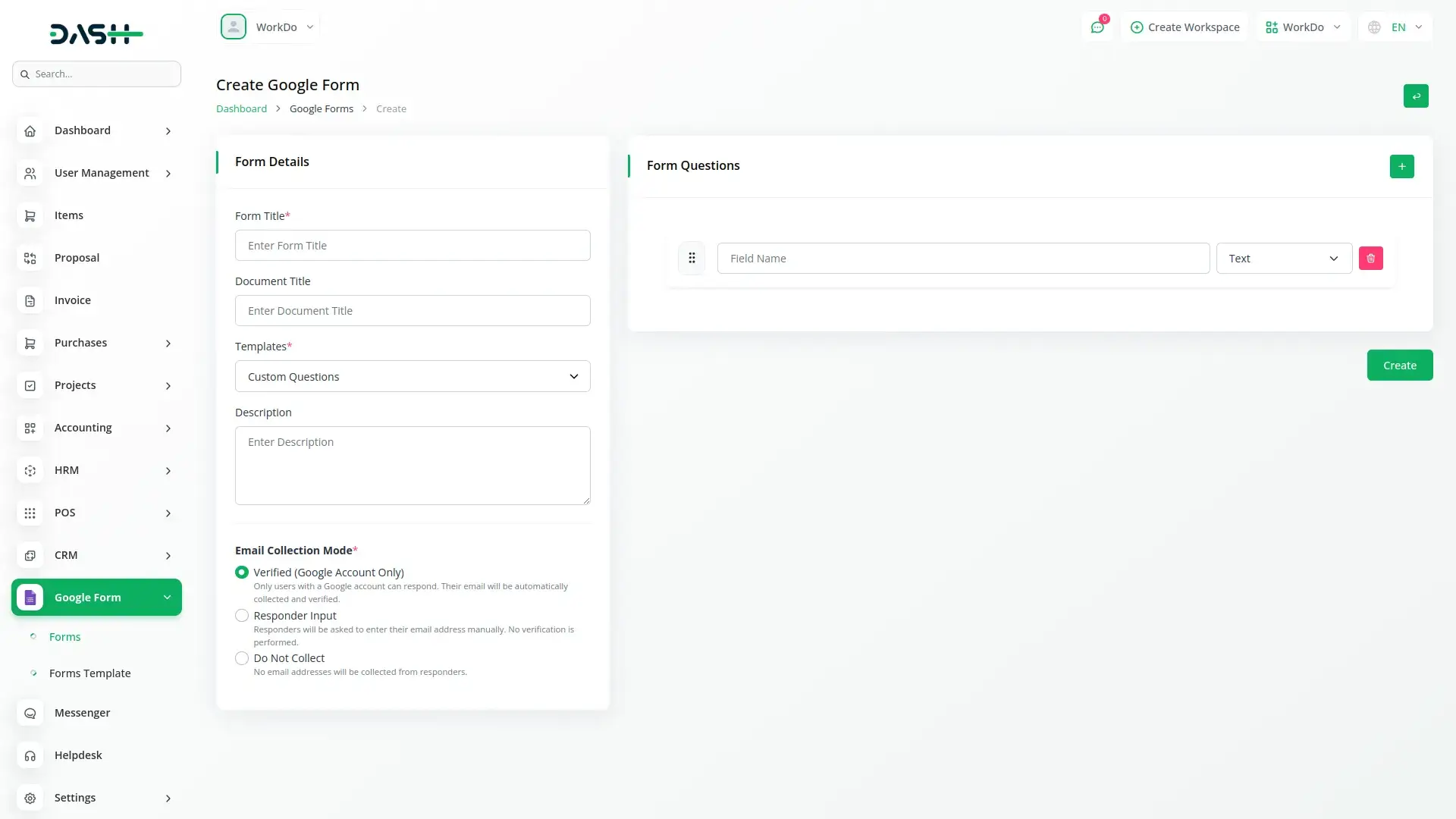
Build comprehensive forms with unlimited customization options, including titles, descriptions, and email collection modes. The system supports various question types such as text fields, paragraph inputs, multiple choice options, checkboxes, and dropdown menus. All forms automatically synchronize with your Google account and provide real-time preview capabilities for immediate feedback.
Response Analytics Overview
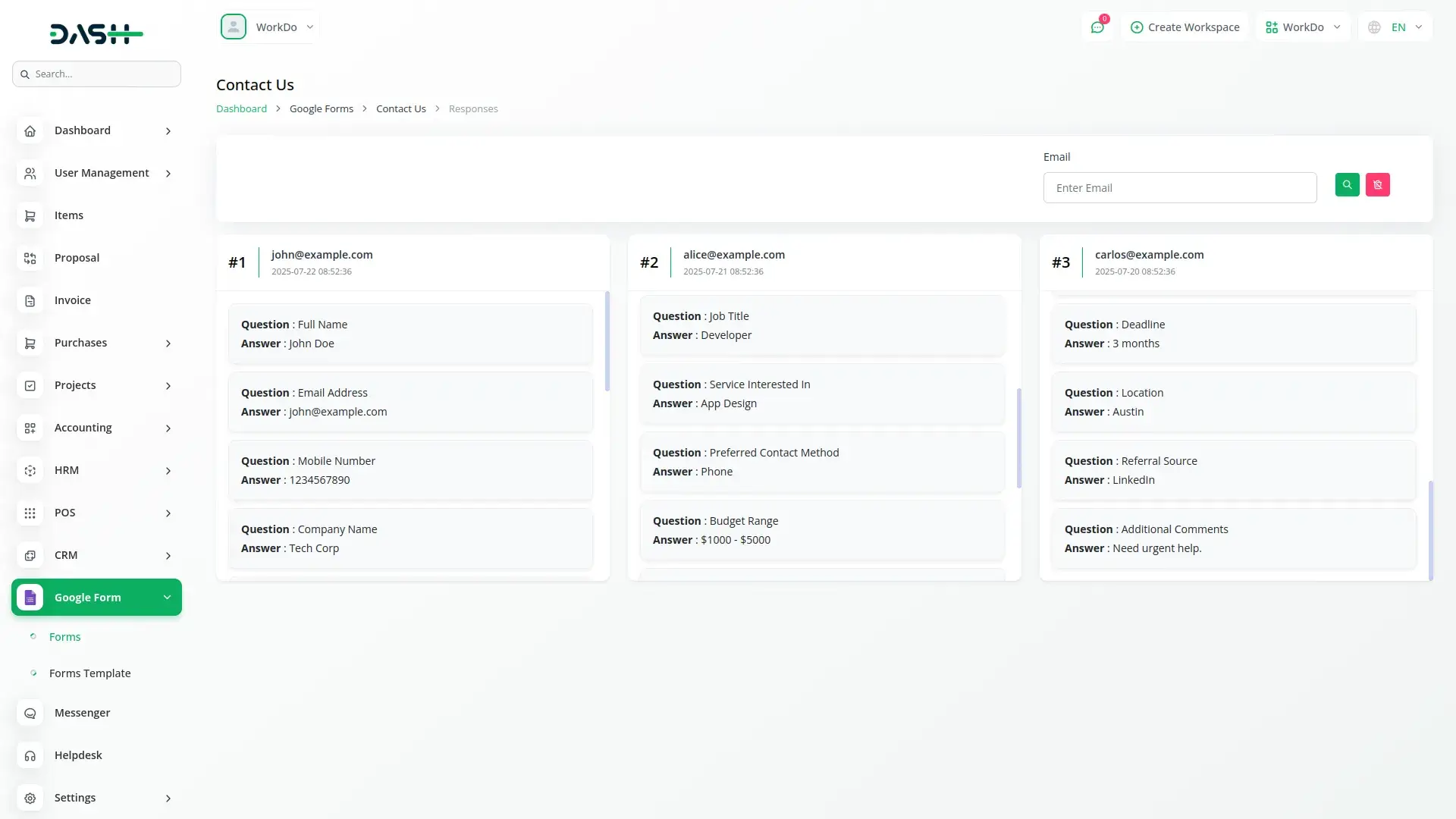
Track and analyze form responses through a comprehensive dashboard displaying responder information, submission timestamps, and all form field data. The system provides real-time response monitoring with advanced search capabilities and detailed analytics for each form. complete field capture based on form structure.
Template Management System
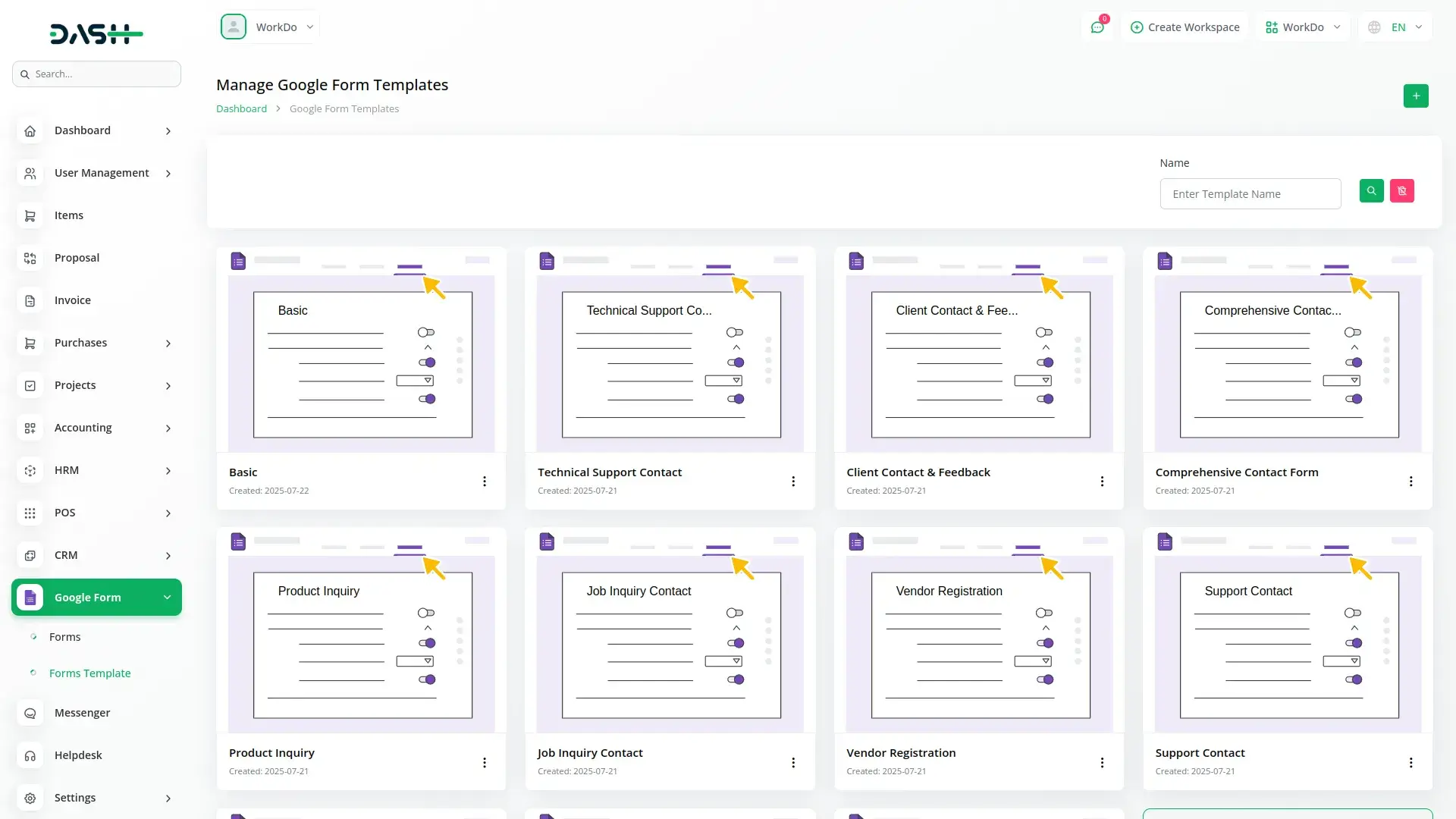
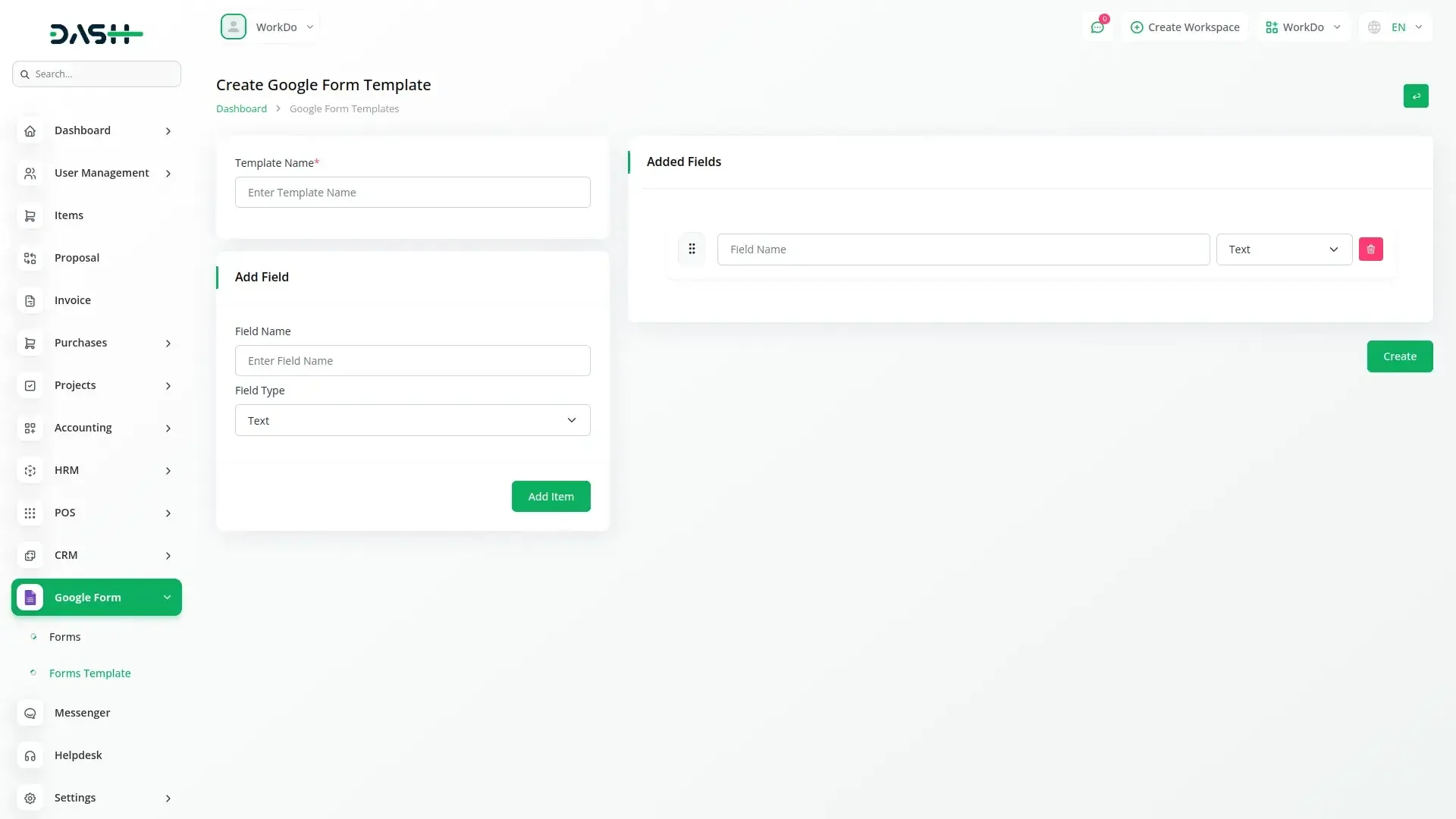
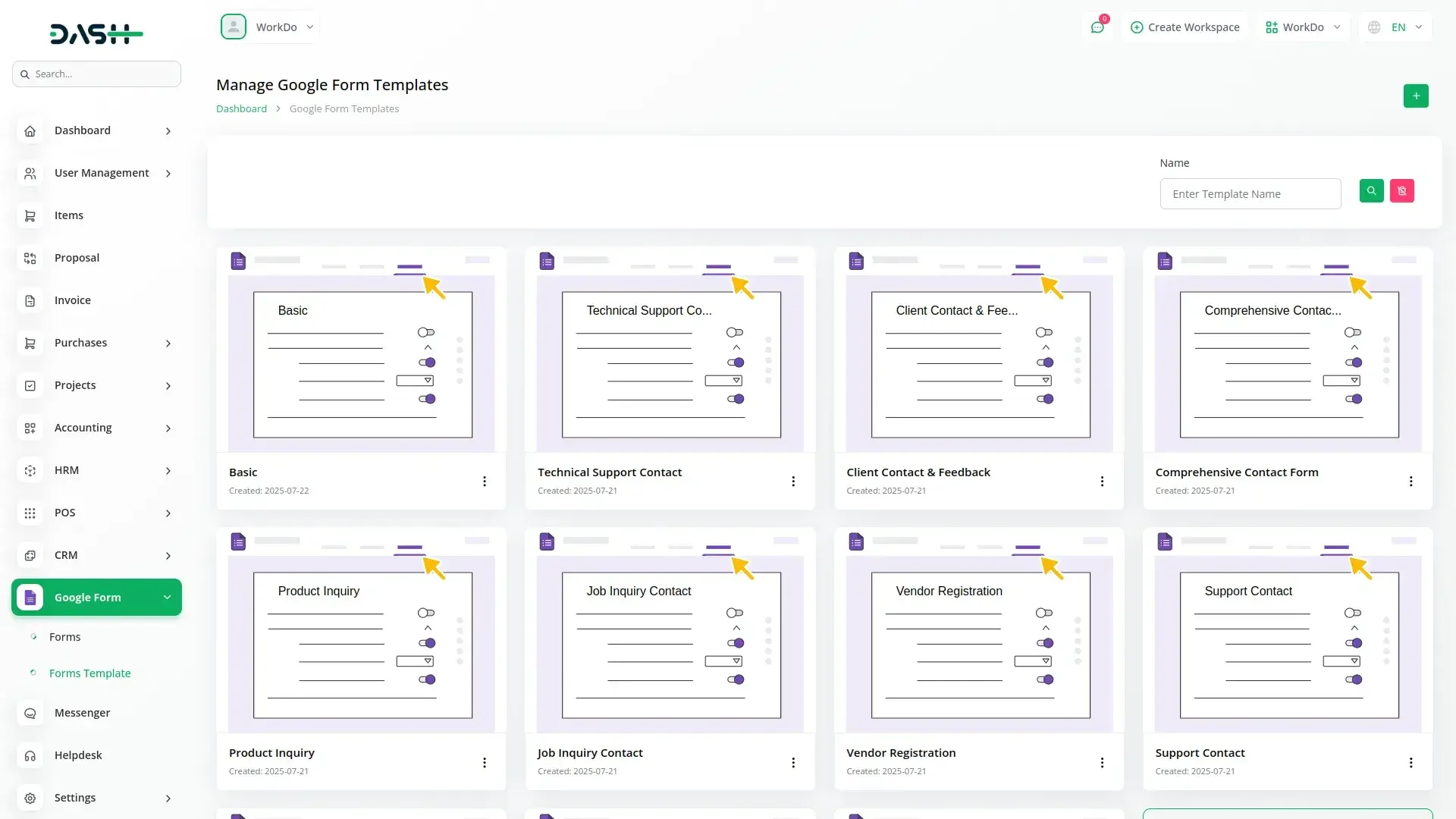
Streamline form creation with pre-built templates that can be customized and reused across multiple projects. The template system allows users to create, edit, and delete templates with structured question formats supporting all available question types. Templates can be applied immediately to new forms and configured through comprehensive lifecycle management.
Check here : Documentation
Last update:
Jan 22, 2026 05:58 AM
Version:
v1.0
Category:
High Resolution:
YesSoftware Version:
Files Included:
Software FrameWork:
LaravelPublished:
Nov 19, 2025 06:25 PM