


Work Permit – Dash SaaS Add-On is a powerful and comprehensive module designed to streamline the creation, tracking, and management of work permits within the Dash SaaS platform. Ideal for construction companies, industrial plants, facility management teams, contractors, and safety compliance departments, this add-on ensures that all work-related activities are authorized, documented, and carried out safely.
The module enables users to create digital work permits, define permit categories, assign responsible personnel, record hazards, outline safety precautions, and track the status of each permit from request to closure. With automated notifications, approval workflows, document attachments, and real-time monitoring, organizations can maintain high safety standards and ensure compliance with operational and regulatory requirements.
Note: This is an addon for WorkDo Dash SaaS, not a standalone script.
WorkDo Dash SaaS - Open Source ERP with Multi-Workspace
The Work Permit Add-On provides a complete solution to manage permit requests, approvals, and related documentation with ease. It includes real-time analytics, customizable permit types, structured approval workflows, and secure file handling. Features like digital signature integration, professional document export, and user assignment control help ensure compliance, transparency, and efficiency across all stages of permit management from a centralized and user-friendly platform.
Dependency Notice: The Work Permit Add-On is dependent on the HRM Add-On. If the HRM Add-On is disabled, the Work Permit Add-On will not function. Ensure that the HRM Add-On is activated to utilize the Work Permit features
Check here : Work Permit Integration Add-On | Simplify Employee Documentation & Compliance
Comprehensive Dashboard Analytics
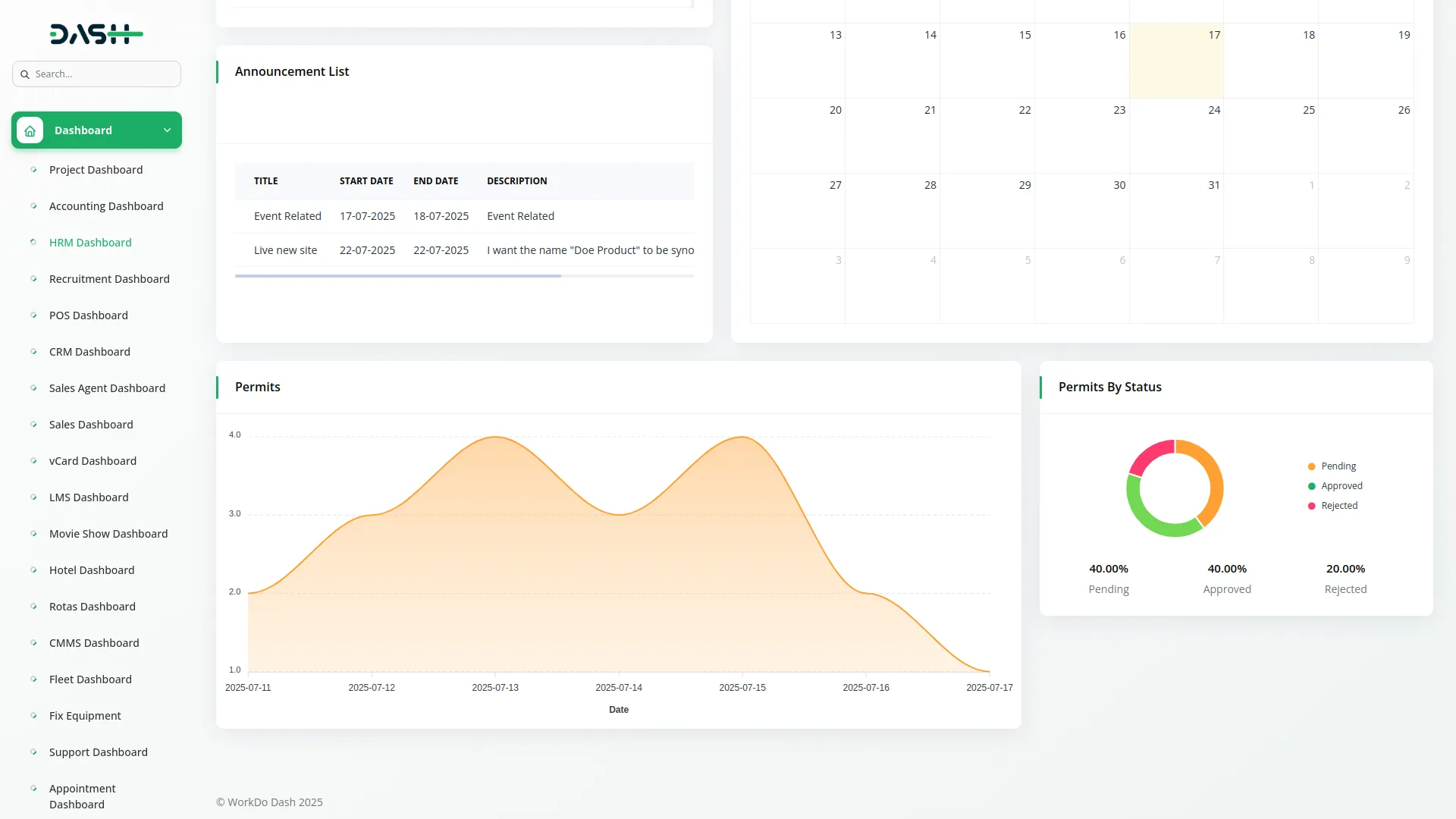
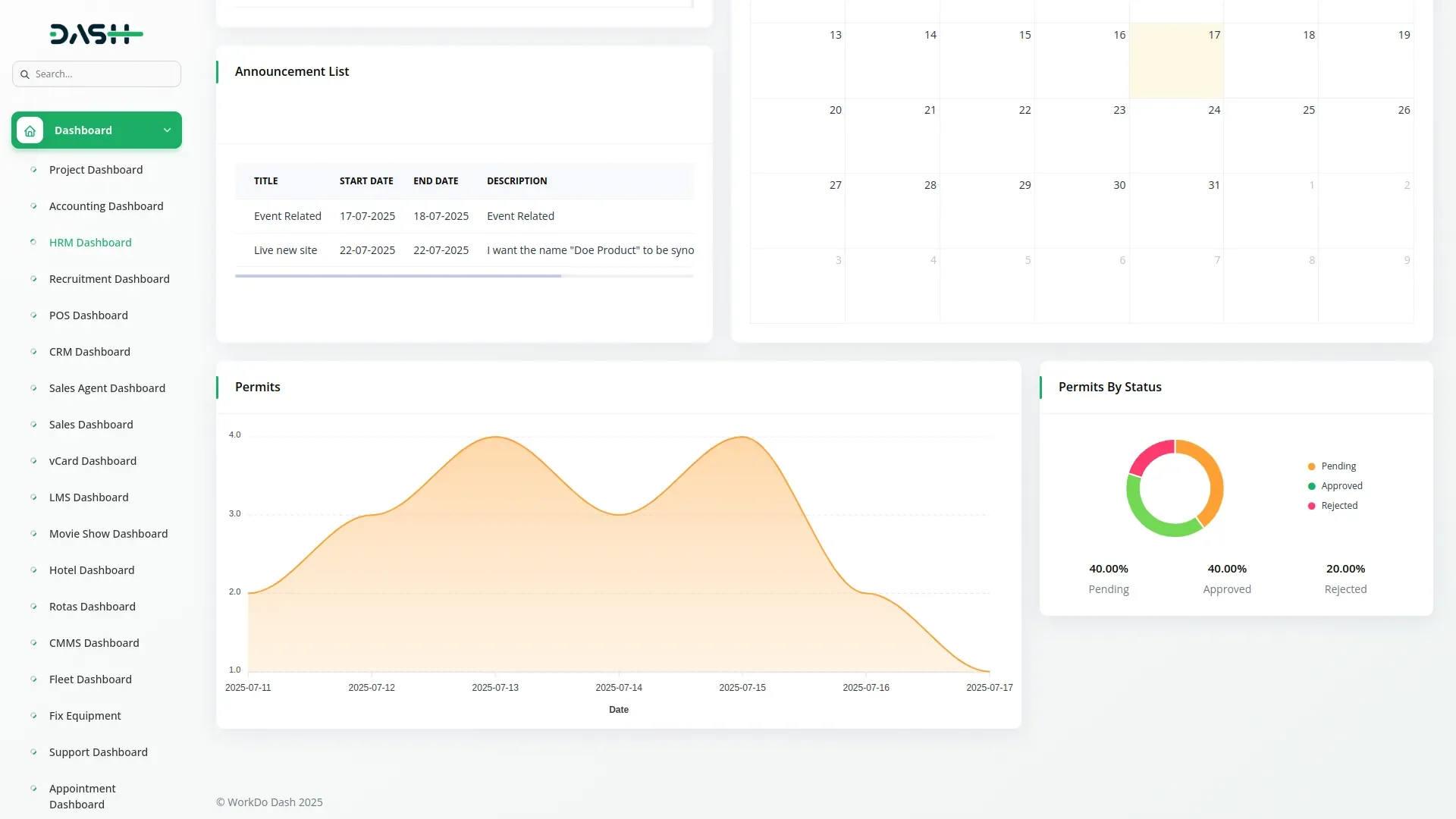
Monitor your work permit operations through an intuitive dashboard that provides real-time insights into permit activities. The dashboard displays permit trends over the last seven days through detailed area charts, helping you identify patterns and peak periods. Visual donut charts break down permit counts by status categories, including pending, approved, and rejected permits for instant overview. This centralized monitoring system enables managers to track workflow efficiency, identify bottlenecks in the approval process, and make data-driven decisions about permit management and resource allocation.
Advanced Permit Management
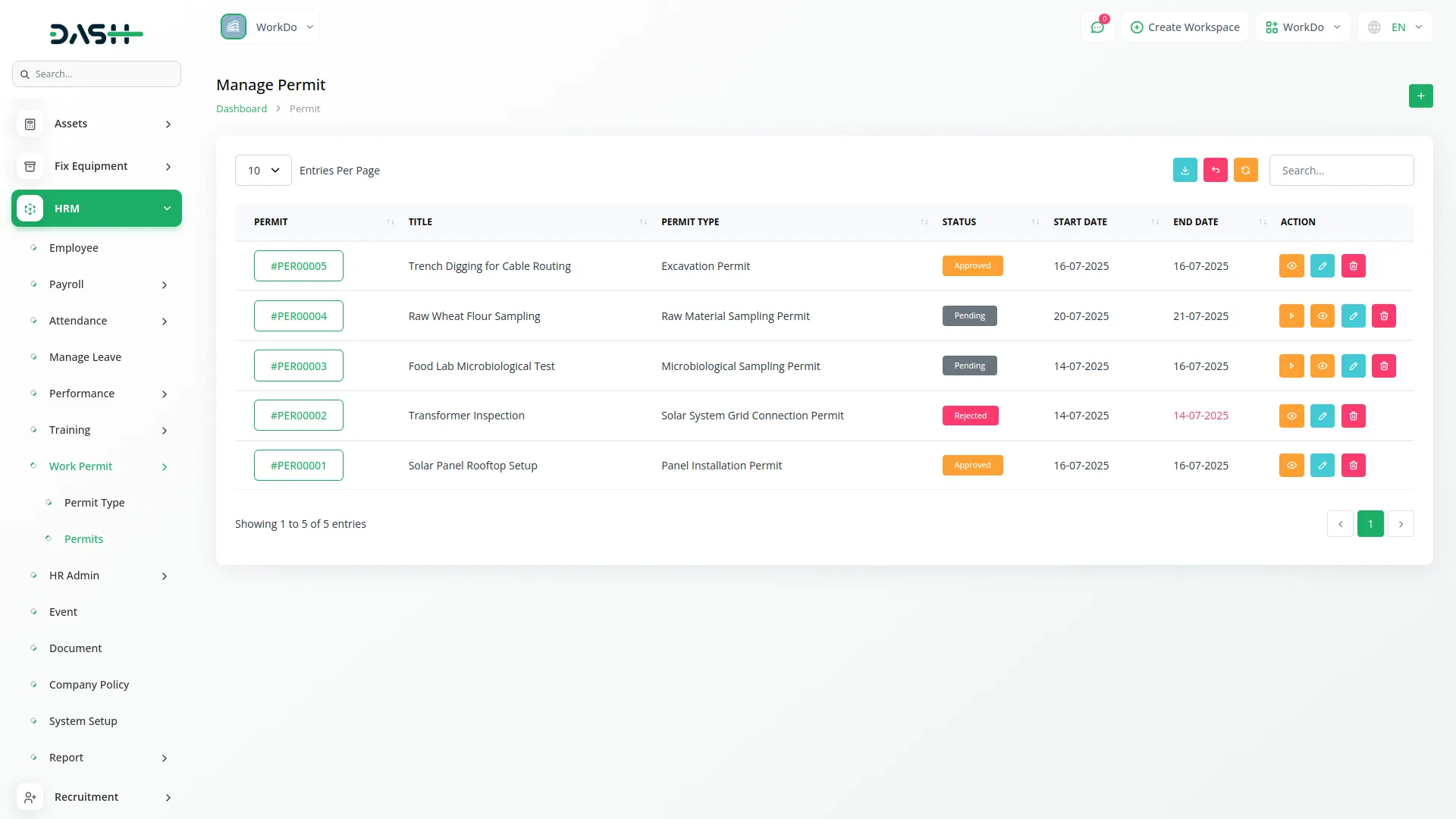
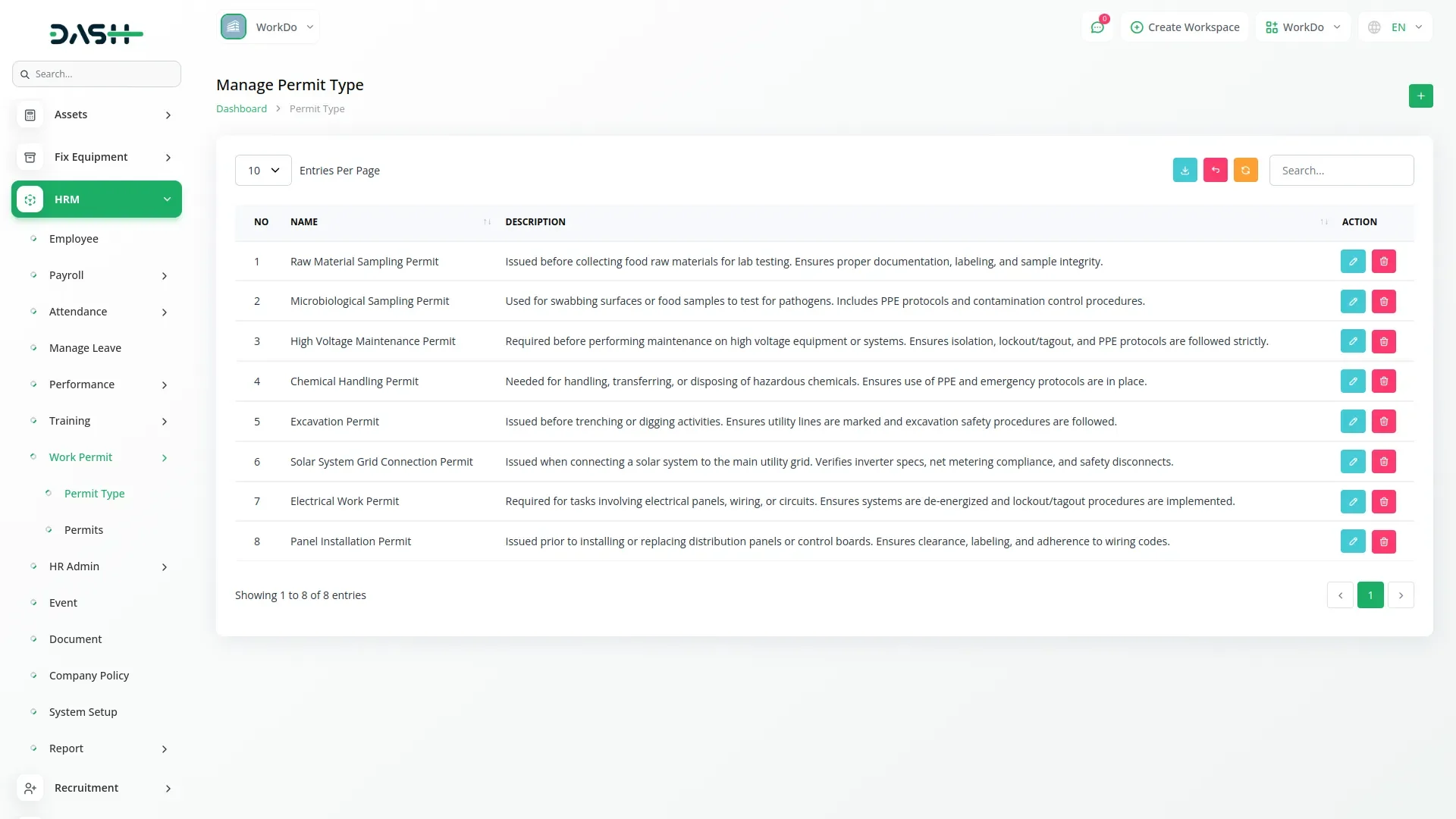
Create and organize different categories of work permits through a flexible permit type management system that allows you to define custom permit categories with detailed descriptions. Streamline the permit application process by entering titles, specifying work locations, assigning responsible users, and selecting appropriate permit types from your configured categories. The system includes date range management with start and end date controls for precise permit validity periods. Comprehensive search and export functions help you manage permit types while detailed work description fields ensure complete documentation of planned activities and safety requirements.
Intelligent Approval Workflow
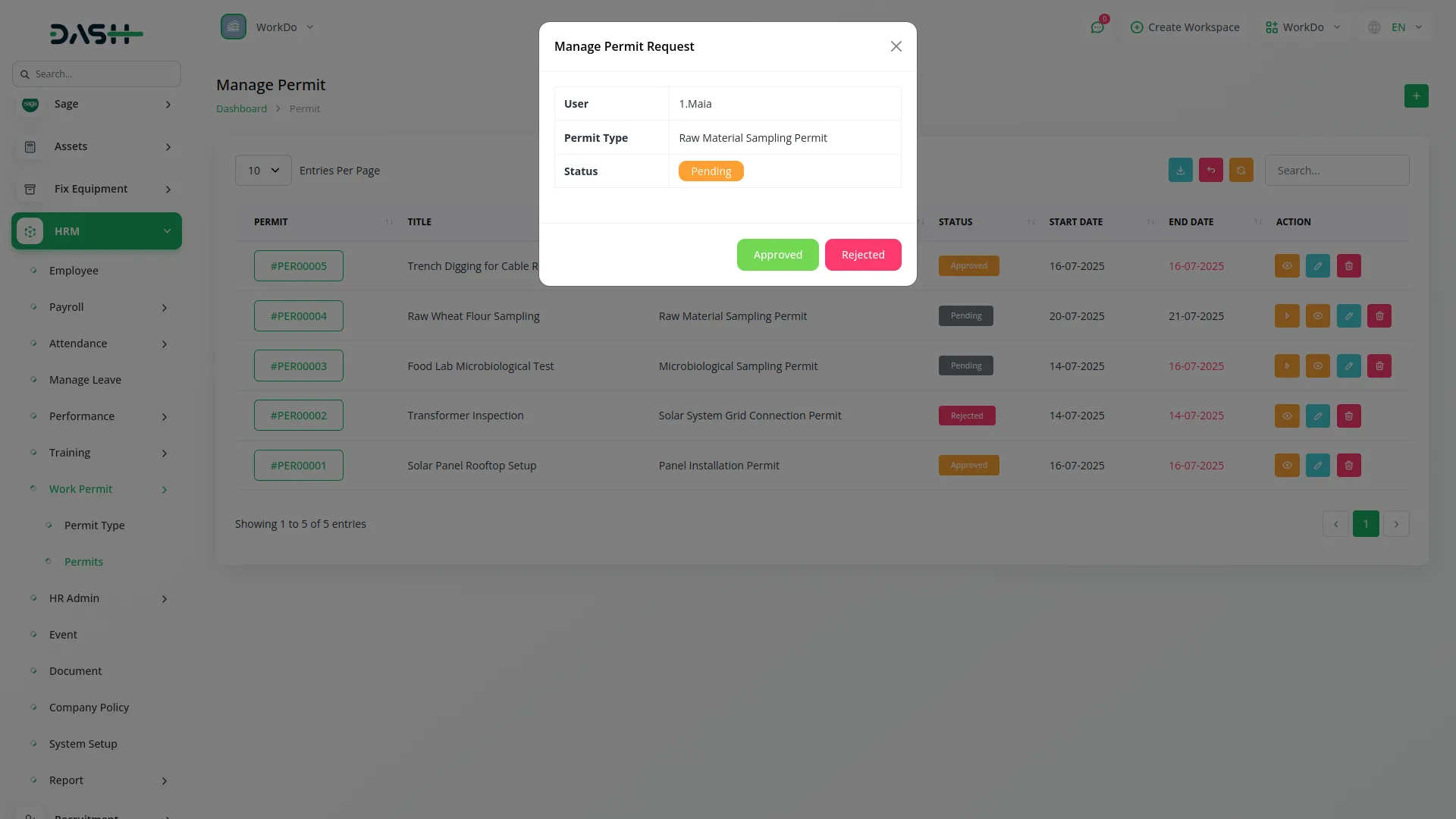
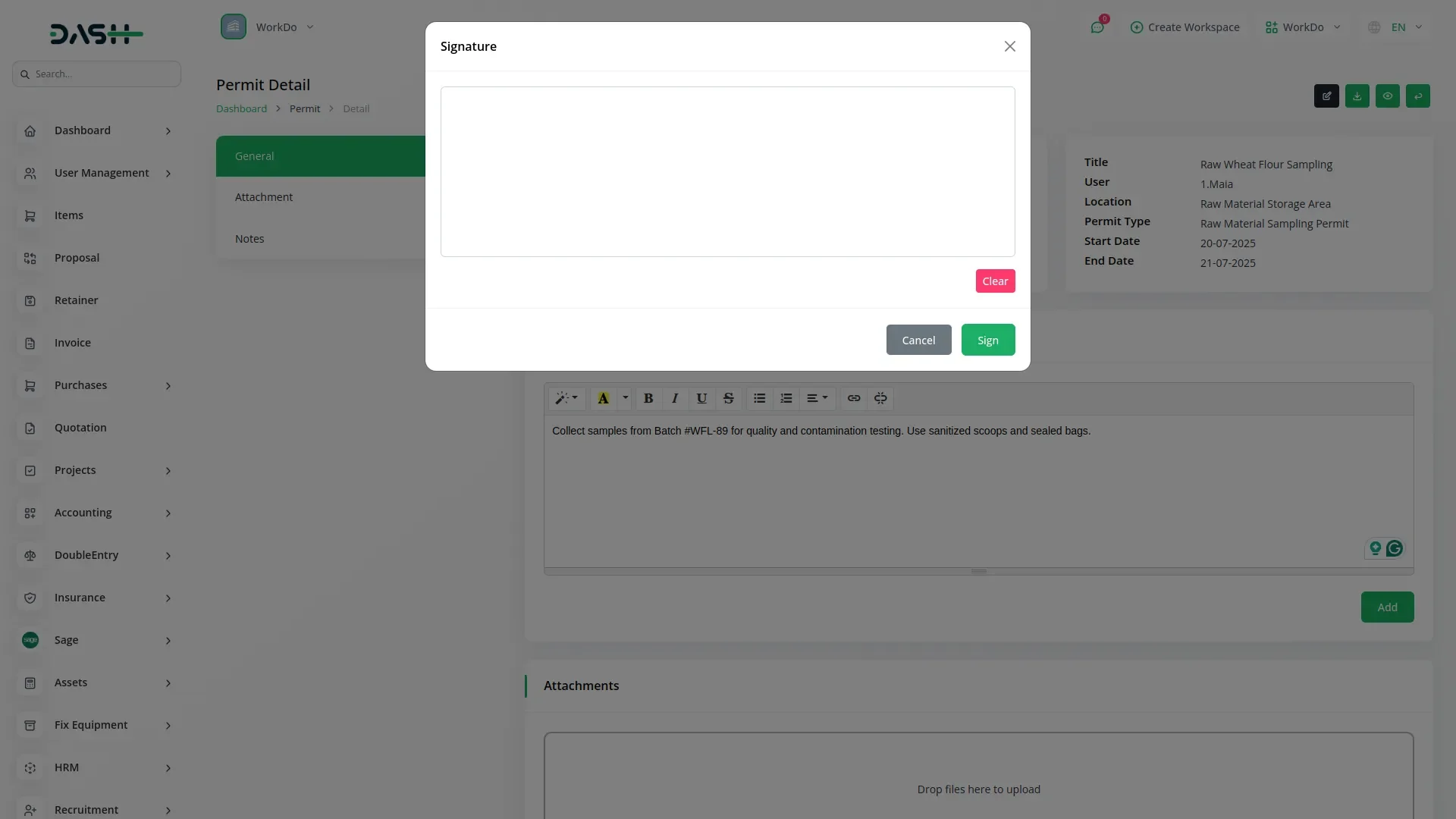
Manage permit approvals efficiently through a structured workflow system that tracks permit status from submission to completion with three status levels: pending, approved, and rejected. Authorized personnel can review permit details and make approval decisions directly from the permit management interface with clear status indicators throughout the process. The workflow system maintains complete audit trails of all approval actions and status changes, while automated status tracking ensures no permits are overlooked. Digital signature integration enhances permit authenticity and legal compliance when the signature Add-On is enabled, providing secure authentication for permit approvals.
Professional Export Tools
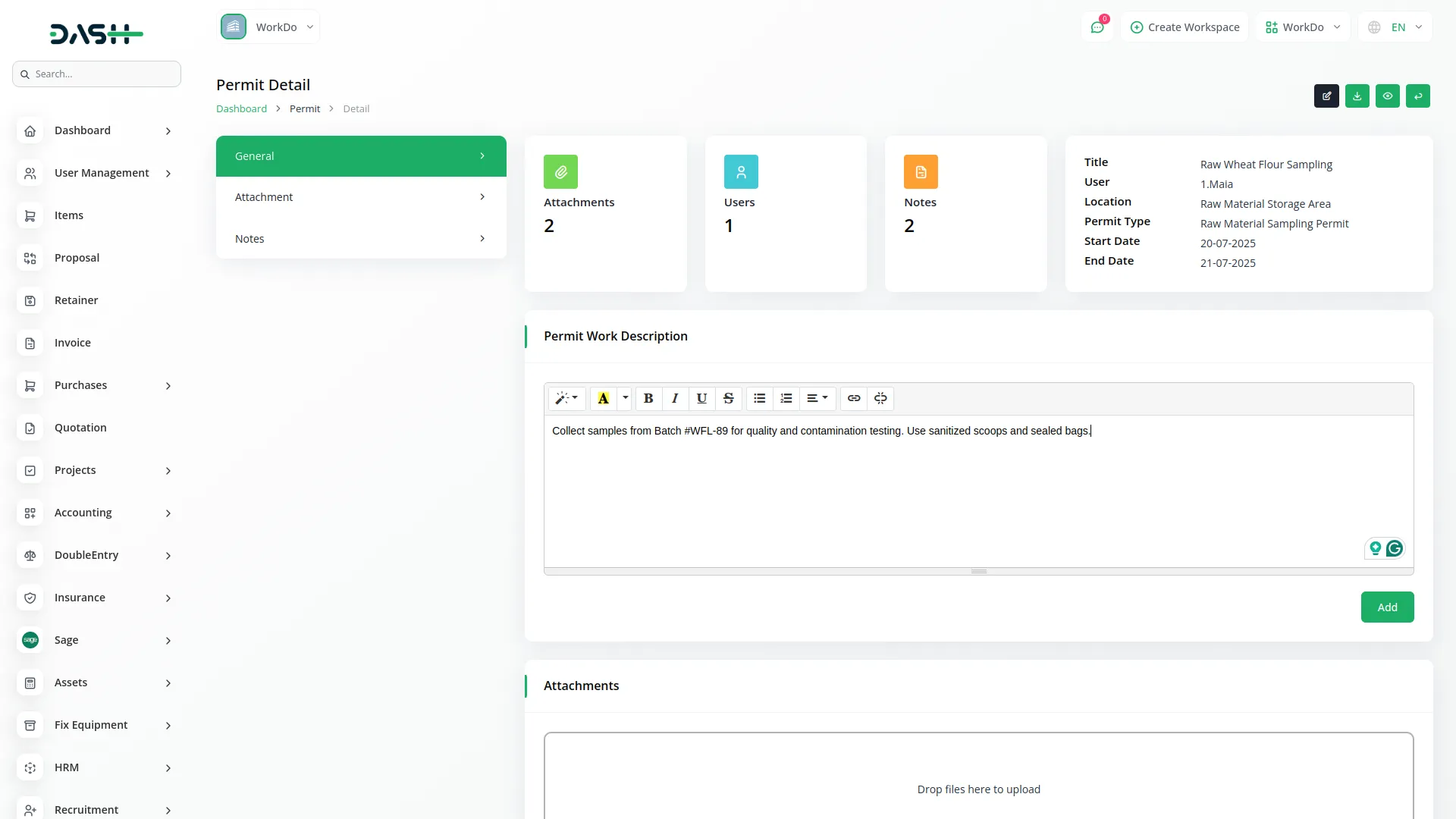
Generate professional permit documentation through comprehensive export and download capabilities that support various output formats with permit preview functionality. The system produces print-ready permit documents with all relevant information and attachments while supporting multiple file formats, including PDF and standard document formats. Professional output ensures permits meet organizational standards and regulatory requirements for official documentation. Advanced user assignment capabilities integrate with existing user management systems to ensure proper responsibility allocation with tracking of individual permit loads and reassignment capabilities for workload balancing.
Comprehensive Document Management
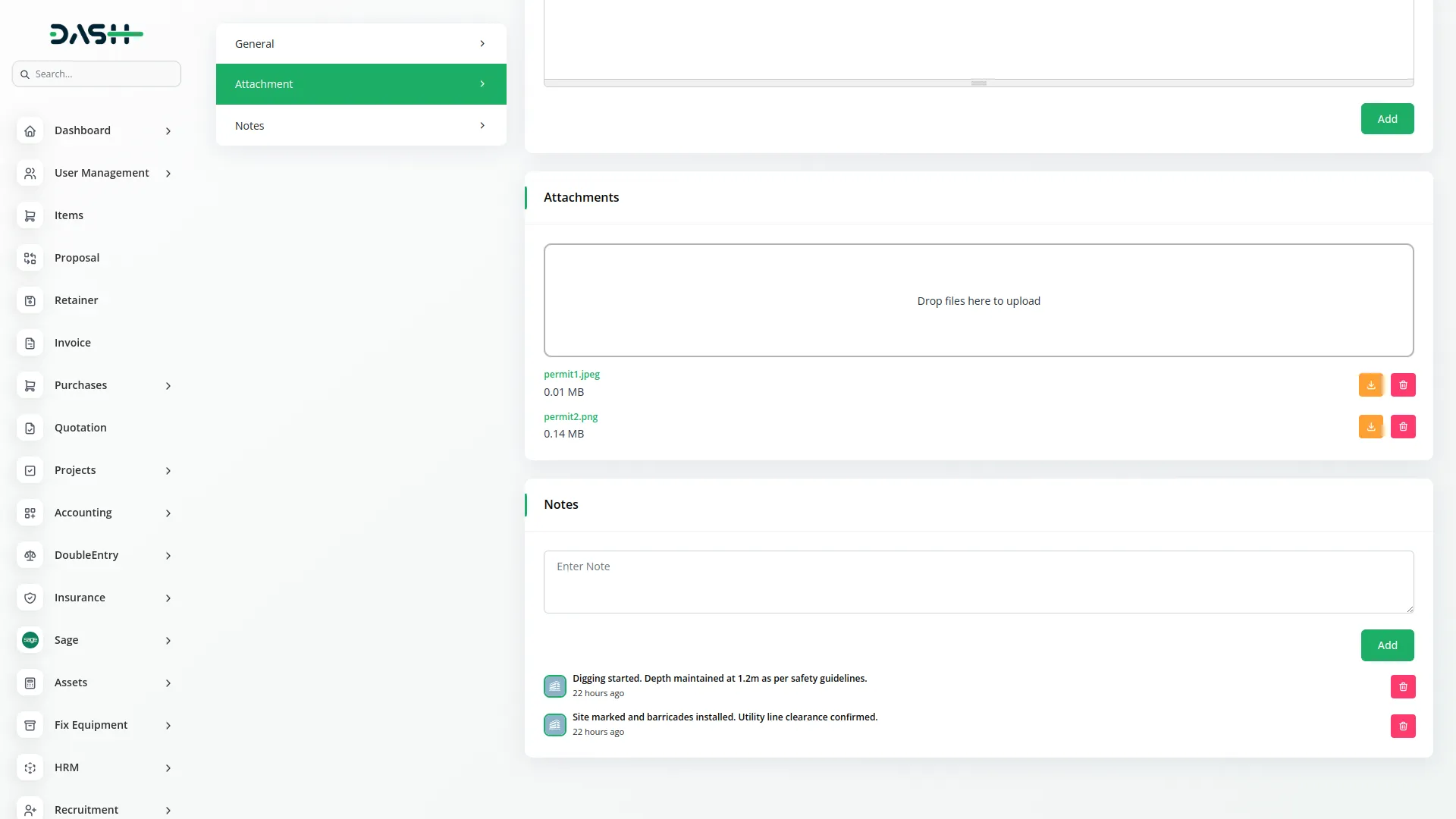
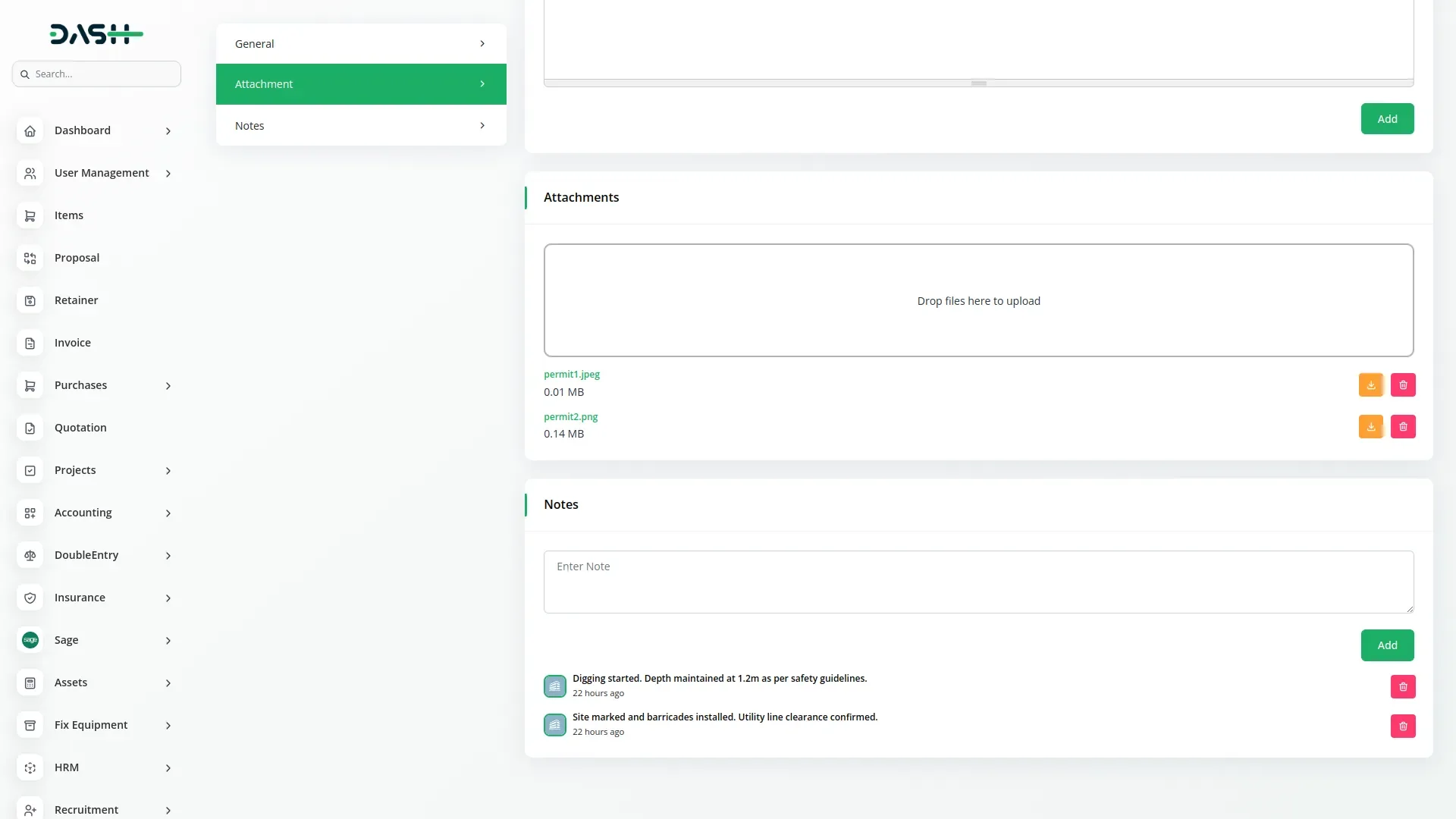
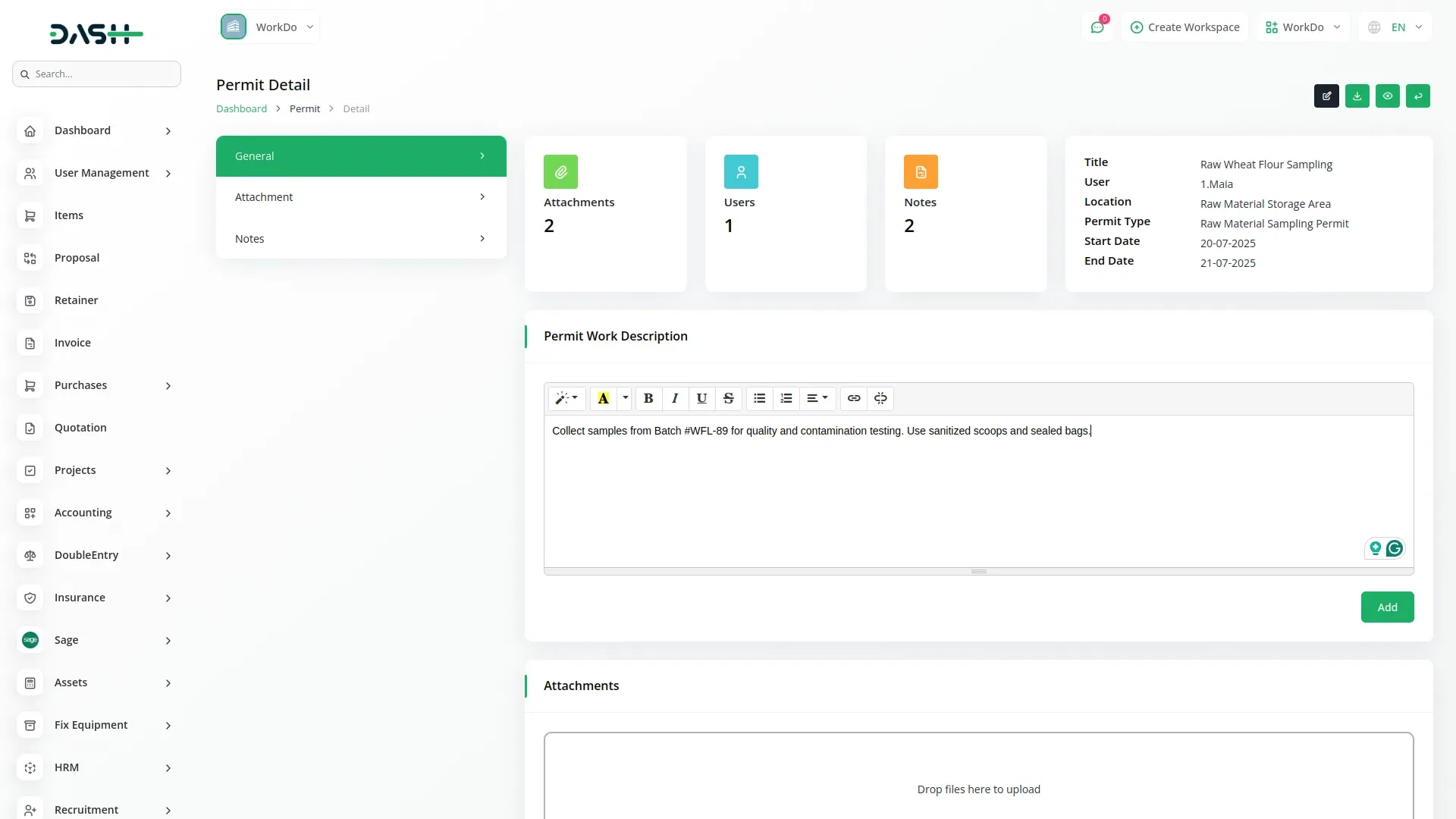
Enhance permit documentation with a robust attachment management system that supports multiple file types and formats through intuitive drag-and-drop functionality. The system maintains organized attachment libraries for each permit with download and deletion capabilities while supporting various file formats, including images, PDFs, and office documents. Dynamic note management enables detailed communication records through an integrated system that supports permit-related discussions and updates. Team members can contribute to permit discussions through the collaborative note system, ensuring all relevant information and decisions are documented and accessible to authorized personnel.
Check here : Documentation
Last update:
Jan 22, 2026 06:02 AM
Version:
v1.0
Category:
High Resolution:
YesSoftware Version:
Files Included:
Software FrameWork:
LaravelTags:
Published:
Nov 18, 2025 10:12 PM